

12 leatherette Christmas projects with free design files
Updated Oct 2026TL;DR: Leatherette is one of the fastest Christmas materials to cut: a 0.8 mm sheet cuts quickly, engraves crisp contrast without paint, and feels like a finished gift straight off the bed. Below are twelve projects, from stocking tags and gift tags to toque patches, cork QR ornaments and crochet basket bases. Each one links a free MyLaserTools generator, names the leatherette thickness that works, and gives one tip that saves a ruined batch.
Before you start
Three choices decide how each project turns out:
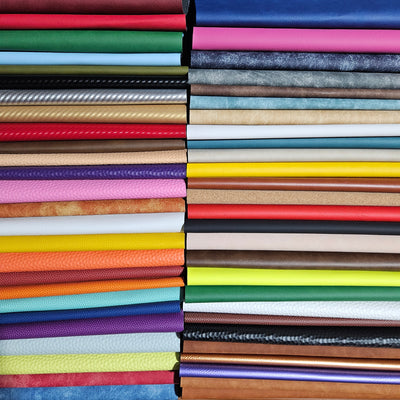
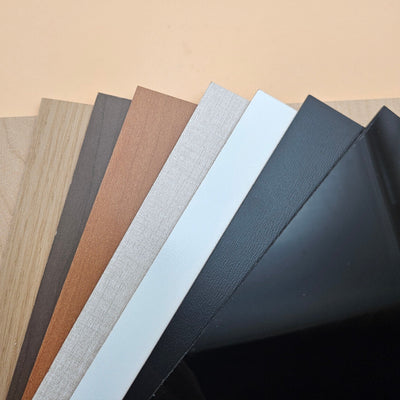
- Thickness. Our leatherette comes in 0.8 mm (felt back), 1.2 mm and 1.8 mm (grey foam back), and a dual-sided 1.8 mm with a finished face on both sides. Thin for tags and patches, thick for anything that has to stand up or be seen from both sides.
- Adhesive or not. Most colours come "With Adhesive" (a heat-activated TPU layer for iron-on and heat press work) or "No Adhesive". Only patches and appliques need the adhesive version.
- What it engraves to. Every sheet name tells you the engrave colour: engraves black, gold, silver, copper or white. Pick the pair that reads best from across a room.
If you have not dialled in settings for leatherette yet, run a test grid first with our leatherette laser settings cheat sheet.
Planning table
| Project | Free generator | Thickness | Adhesive option |
|---|---|---|---|
| Stocking tags | Stocking Tag Generator | 1.2 mm or dual-sided 1.8 mm | No Adhesive |
| Gift tags | Gift Tag Generator | 0.8 mm | No Adhesive |
| Handmade labels | Handmade Tag Generator | 0.8 mm | Either |
| Tree ornaments | Christmas Tree Ornament Generator | Dual-sided 1.8 mm | No Adhesive |
| QR code ornaments | QR Code Sign Generator | 0.8 or 1.2 mm cork | No Adhesive |
| Toque patches | Hat Patch Generator | 0.8 mm | With Adhesive |
| Bookmarks | Leather Bookmark Generator | Dual-sided 1.8 mm or 0.8 mm | No Adhesive |
| Santa hat keychains | Hat Name Keychain Generator | Dual-sided 1.8 mm | No Adhesive |
| Coasters | SVG Shape Generator | 1.8 mm | No Adhesive |
| Napkin rings | Design Editor | 0.8 or 1.2 mm | No Adhesive |
| Crochet basket bases | Crochet Base Generator | 1.2 or 1.8 mm | No Adhesive |
| Door hangers | Door Knob Hanger Generator | Dual-sided 1.8 mm | No Adhesive |
1. Stocking tags
Names that hang from the stocking cuff, one per family member. The Stocking Tag Generator builds a connected-script name with a base strip and a hanging hole.

Material: cut the base strip from 1.2 mm metallic leatherette, or dual-sided 1.8 mm if the back will show. Cut the name in acrylic for a raised layer, or simply engrave it into the base.
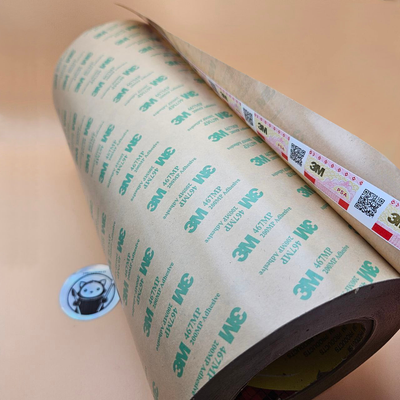
Tip: to bond an acrylic name to a leatherette base, use a strip of 3M 468MP adhesive transfer tape cut to the shape of the base. It holds flat without glue squeeze-out around thin script letters.

2. Gift tags
Reusable tags that stay on the gift. Use the Gift Tag Generator for classic tag and house shapes with a name and a small pictogram.
Material: 0.8 mm, No Adhesive. A light colour that engraves black gives the sharpest small text.
Tip: engrave the recipient's name and leave the "from" off. The tag then works as a keepsake or a keychain after the wrapping is gone.
3. "Handmade with love" labels for knitted and sewn gifts
If you knit, crochet or sew gifts, a leatherette label makes them look finished. The Handmade Tag Generator builds rectangle, rounded and octagon labels with stitch holes already placed.

Material: 0.8 mm. Choose No Adhesive if you will sew the label on, or With Adhesive to press it on and then add a few stitches at the corners.
Tip: keep stitch holes at least 3 mm from the edge. Closer than that and the felt backing can tear when the needle pulls through.
For a full build, see our foldable beanie tag project.
4. Christmas tree ornaments
The Christmas Tree Ornament Generator makes a tree outline with a name. In leatherette, cut the outline and engrave the name rather than cutting it as a separate layer.
Material: dual-sided 1.8 mm. Ornaments turn on the branch, so the back gets seen as often as the front. A dual-sided sheet looks finished on both faces, and 1.8 mm hangs without curling.
Tip: a green that engraves gold reads as a classic tree from a distance. Make the hanging hole at least 4 mm so a ribbon or hook fits easily.
5. QR code ornaments on cork
An ornament that opens a video message, a photo album or the family playlist when someone scans it. Make the code with the QR Code Sign Generator, then add a round outline and a hanging tab.

Material: cork leatherette that engraves black. Black on cork gives a QR code the contrast a phone camera needs.
Tip: scan the test piece with two different phones before you cut a batch. Keep the code roughly 40 mm wide or larger, and do not shrink the quiet zone (the plain border) around it.
6. Patches for winter toques
A toque patch is the leatherette project people ask for most in December. The Hat Patch Generator gives you the outline, an engraved stitch line and your text.

Material: 0.8 mm, With Adhesive. The heat-activated TPU bonds to knit with a heat press or iron.
Tip: knit toques stretch, so keep patches under about 75 mm wide and press with the toque on a flat form, not stretched over a ball. Our hat patch adhesion guide covers temperatures and press times, and Make Apparel Patches collects patch materials in one place.
7. Bookmarks for the readers on your list
The Leather Bookmark Generator makes shaped bookmarks with a tassel hole and your text.

Material: dual-sided 1.8 mm for a bookmark with no "wrong side", or 0.8 mm for a thin one that closes flat in a paperback. Carbon fiber makes a good gift for readers who do not want anything floral.
Tip: add a tassel. It turns a flat strip into something that looks bought. For a foldable version, see our no-stitch foldable bookmarks.
8. Santa hat name keychains
The Hat Name Keychain Generator puts a Santa hat (or a graduation cap or cowboy hat) on top of any name, with a keyring hole.
Material: dual-sided 1.8 mm. Keychains spin, and thin leatherette bends on a keyring. A red face for the hat area reads instantly as Christmas.
Tip: thicken thin script strokes in the generator before you export. Anything under about 2 mm wide is fragile in leatherette.
9. Coasters
Leatherette coasters protect a table from mugs and glasses and engrave beautifully. Use the SVG Shape Generator for circles, rounded squares or hexagons, about 95 to 100 mm across.
Material: 1.8 mm with foam backing. The foam gives a cushioned feel and grips the table.
Tip: leatherette coasters are fine for mugs and cold glasses, not hot pots or pans. Engrave initials or a short line off-centre so the mug does not cover it.
10. Napkin rings
Napkin rings are a strip with a slot-and-tab closure, quick to draw in the Design Editor.
Material: 0.8 or 1.2 mm.
Tip: for a ring about 45 mm across, cut a strip roughly 155 x 35 mm (141 mm of circumference plus room for the tab). Make the slot a little wider than the tab and test-fit one before cutting a set of eight.
11. Crochet basket bases for gift baskets
A crocheted basket filled with treats is a good homemade gift, and a leatherette base makes it hold its shape. The Crochet Base Generator makes round, oval and polygon bases with evenly spaced stitch holes.

Material: 1.2 mm for small baskets, 1.8 mm for anything that will carry jars or bottles.
Tip: match the hole size to your hook and yarn weight before cutting a batch. Our bag base guide and the crochet basket and bag base project cover hole size and spacing.
12. Door hangers
"Do not disturb: wrapping presents." The Door Knob Hanger Generator makes a hanger with the knob cut-out built in and space for your text.
Material: dual-sided 1.8 mm, so it reads from both sides of the door and does not flop.
Tip: check the knob hole against your door handles. Lever handles need a larger opening than round knobs.
How many fit on one sheet
When you are cutting a batch for a craft market or for the whole family, it helps to know what a sheet yields. With a simple grid layout on one ~12 x 18" sheet:

Mixing shapes on one sheet, or nesting by hand, usually fits a few more. If you are buying for a batch, our Buy More Save More program applies to leatherette sheets too.
Going further: map gifts (Pro)
If you want to make hometown or "where we met" gifts, the MyLaserTools Map Designer has presets built for leatherette: a luggage tag, a journal cover and a round map patch. Map Designer is a Pro tool, unlike the free generators above.
Frequently asked questions
Q: What leatherette thickness is best for Christmas ornaments? A: Dual-sided 1.8 mm. Ornaments turn on the branch, so both faces get seen, and the thicker sheet hangs flat without curling.
Q: Do I need the adhesive version for these projects? A: Only for patches and anything you will iron or heat-press onto fabric. Tags, ornaments, bookmarks, coasters and keychains are better on No Adhesive sheets.
Q: Are the design files really free? A: Yes. Every generator in the numbered list is free on MyLaserTools and exports a cut file you can bring into LightBurn, xTool Creative Space or your usual software. The Map Designer presets mentioned at the end are a Pro tool.
Q: Can I cut these on a diode laser? A: Yes, the 0.8 mm projects cut well on a 10 to 20 W diode. The 1.8 mm projects need several slow passes on a diode. Pale colours absorb diode light less, so run a test on the exact sheet first.
Q: How do I attach an acrylic name to a leatherette base? A: Use adhesive transfer tape such as 3M 468MP cut to the base shape, or a thin line of flexible glue. Tape is cleaner on thin script letters because nothing squeezes out.
Q: Which leatherette colours look most Christmassy? A: Red, green and white faces, and the dark sheets that engrave gold or silver. A green or black sheet that engraves gold gives a classic holiday look with almost no design work.