

Beginner Acrylic: Acrylic Cake Topper: Step by Step Guide & Free SVG Designs
Updated May 2026A cake topper is the project that turns "I bought a laser cutter" into "I sell at every market in town." Birthdays, weddings, baby showers, retirements, gender reveals, anniversaries, every life event needs one, and they take ten minutes to design and cut. Mirror gold acrylic, a wooden skewer, and a cake, that's the entire bill of materials.
In this guide we'll walk through the five different cake topper generators, when to use each, and how to design and cut yours.
What you'll make

A laser-cut acrylic cake topper that pushes into the top of a cake on a single skewer (or two, for wider designs). Five styles to pick from depending on the occasion:
- Name topper — single name + optional pictogram (birthdays, simple weddings)
- Multi-line topper — two or three lines of text stacked (full names, dates, "Happy Birthday" + name)
- Two-stake topper — wider design with two stakes for stability (long names, anniversaries)
- Layered single-stake — text on top of a contrasting outline shape (premium gift / wedding look)
- Layered two-stake — same layered look, on a wider two-stake base
Materials you'll need
The acrylic
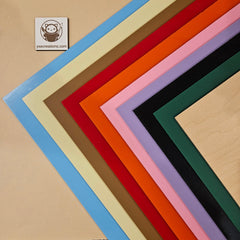
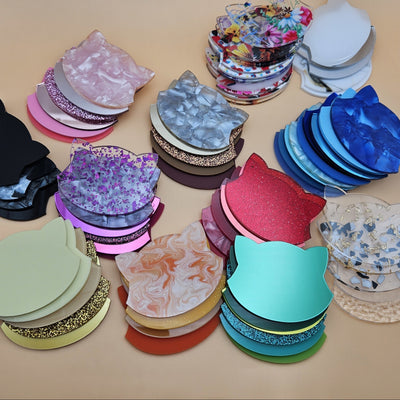
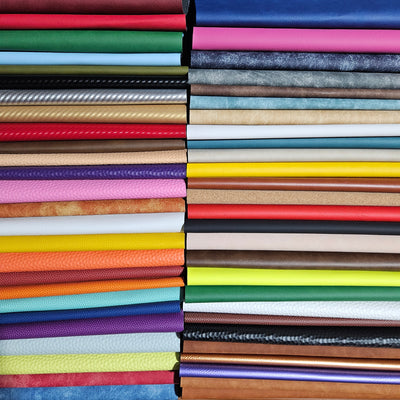
For cake toppers, 3mm cast acrylic in a flashy finish is the standard. The classics:
- Mirror gold / mirror silver / mirror rose gold: formal events, weddings, milestone birthdays
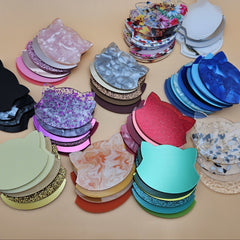
- Glitter (gold, silver, pink, blue): kids' birthdays, baby showers, fun events
- Black gloss: modern weddings, monochrome themes
- Crystal pearl: elegant, understated
- Frosted clear: minimalist, lets the cake's color show through
Ideal for cake toppers is to use food-grade acrylic, but it’s always a good idea to avoid direct contact with food by wrapping the stake in food safe stretch film.
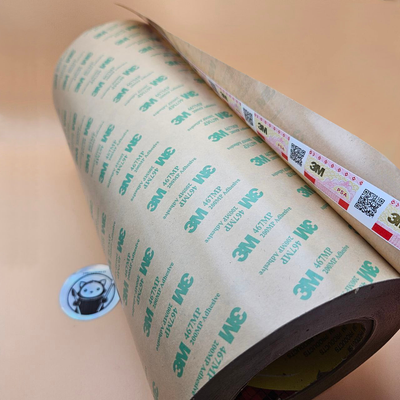
Optional: 3M adhesive (for layered styles)
The two layered cake topper generators produce two pieces, text and outline, that need to be bonded. Pre-cut 3M adhesive sheets are the cleanest method. No glue smudges on a mirror finish.
Picking the right cake topper generator
We have five generators because cakes come in different sizes and so does text:
Name Cake Topper: Generator
The simplest. One name, one optional pictogram (heart, star, flower, balloon). Best for first names, monograms, or short words like "BRIDE", "MOM", "ONE".
Multi-Line Cake Topper: Generator
Two or three lines of text stacked. Use for "Happy Birthday / Emma" or "Sarah & James / June 2026" or "Welcome / Baby Boy". Independent font/size per line.
Two-Stake Cake Topper: Generator
For wider toppers, long names, multi-word phrases ("Happily Ever After"), or anything wider than ~120mm. Two stakes = no leaning on a soft cake.
Layered Cake Topper: Single Stake Generator
Text + a contrasting outline behind it. The premium look, a "Happy 30th" in mirror gold over a black outline shape. Two layers, bonded with 3M tape.
Layered Cake Topper: Two Stakes Generator
Same layered look, on a wider two-stake base. For long phrases that need both stability and the layered-frame look.
Designing your topper (using the Name generator as the example)

Most generators share the same controls. We'll walk through the Name generator; the others are essentially the same with extra text fields.
Step 1: Type the text
In the Your Text field, type the name or word. For birthdays, "Emma" or "30" or "Happy Birthday Emma" all work, but a long phrase will need the multi-line or two-stake generator.
Step 2: Pick a font

Cake toppers live and die by font choice:
- Weddings / elegant: Italianno, Great Vibes, Allura, Pinyon Script
- Birthdays / fun: Cherry Bomb One, Bowlby One, Bungee Shade
- Modern minimal: Bebas Neue, Anton, Manufacturing Consent
- Baby showers : Pacifico, Lobster, Caveat
The preview updates live, so try four or five before settling.
Step 3: Add a pictogram (optional)
For birthdays, the heart , star , balloon , or birthday cake pictograms add a fun touch beside the name. Skip the pictogram for elegant designs, typography alone reads classier.
Step 4: Size your topper
Standard cake topper widths:
- 6-inch cake → 80–100mm topper
- 8-inch cake → 110–130mm topper
- 10-inch cake → 140–160mm topper
- 12-inch cake → 170–200mm topper (use a two-stake generator)
Step 5: Adjust thickness/connector
Each generator has a slider for how thick the connecting strokes are between letters. Cursive fonts often have hairline strokes that snap when handled, bump up the Thickness slider to 30–50% to fatten them up.
Step 6: Download your SVG
Click Download SVG . The file includes your topper outline and the stake slot ready to cut.
Cutting and assembling
- Import the SVG into your laser software
- Apply 3M Adhehsive to the bottom part of the top layer if you use layered design
- Cut, then peel the protective masking from both sides, peel adhesive protective paper and press layers if any.
- Push the skewer down into the cake until the topper sits 1–2 cm above the surface (don't forget to wrap in stret film!)
Make it yours

- Color-match the cake: mirror gold on white buttercream, rose gold on blush, silver on chocolate
- Add a custom date: wedding date, birthday year, anniversary number — multi-line generator handles this cleanly
- Glitter for kids: pink/blue/gold glitter acrylic for kids' parties is louder than mirror and just as photogenic
- Two-stake for stability on tiered cakes: top tier of a 3-tier cake has a small surface area; two stakes prevent leaning
- Match the cutlery: mirror gold topper + mirror gold spoons & forks for a styled dessert table
A laser cut topper takes 5 minutes to design, 2 minutes to cut, and elevates a $20 grocery store cake into something that ends up on Instagram. It's the highest-margin laser project there is.
Happy cutting! 🔥