

Beginner Acrylic: Plant Stakes - Laser Cutting Hello-World Project - All Designs Included
Updated May 2026A plant stake is the perfect first project for any new laser owner. One piece of material, one cut, no glue, no slots, no kerf math. You type a word, you cut, you stick it in dirt. If your stake comes out clean, your laser is calibrated. If it doesn't, you've learned something, about speed, about power, about masking, without wasting a $20 sheet on a complicated project.
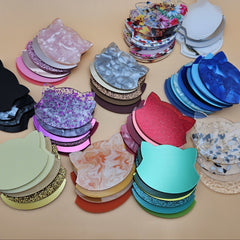
But it's also more than just a plant stake. The same generator and the same workflow gives you cheese stakes, drink stakes, tea stakes, planter labels, beer-flight markers, charcuterie tags, garden bed markers, and dinner-party place cards. Same tool. Same five-minute workflow.
In this guide we'll cover the materials, the three stake modes, and how to design yours using our free Plant Stake Maker.
What you'll make
A flat shape with a word standing up on a pointed stem. The word is either an outline (Classic), cut-through letters (Cut-out), or engraved into a solid stake body (Engraving). Stick it in dirt, jam it between cheeses, slide it into a drink, hang it from a tea cup.

What "more than a plant stake" looks like
Same tool, same dimensions, different vibe:
- Herb stakes: Basil, Rosemary, Mint, Thyme, Oregano, Dill, Parsley. Set of 8 = ~30 minutes of cut time, sells for $20–$30 a set
- Cheese stakes: Brie, Manchego, Gouda, Cheddar. Charcuterie boards instantly look pro
- Drink stakes / cocktail picks: Spritz, Old-Fashioned, Mojito. Engraved versions in walnut plywood feel cocktail-bar premium
- Tea stakes: Chamomile, Earl Grey, Matcha, Green. Sit on the rim of a mug
- Charcuterie tags: meat names + dates ("Prosciutto, Aged 24mo")
- Wedding place cards: guest names on tiny stakes in a bed of moss or rice
- Garden bed markers: bigger stakes, vegetable names + planting dates
- Beer-flight markers: IPA, Stout, Lager, Sour. Brewery merch

The generator's defaults work for all of these, just shrink the size for cheese/drink/tea (60–80mm long instead of 130mm).
Materials you'll need
The material
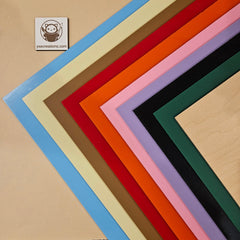
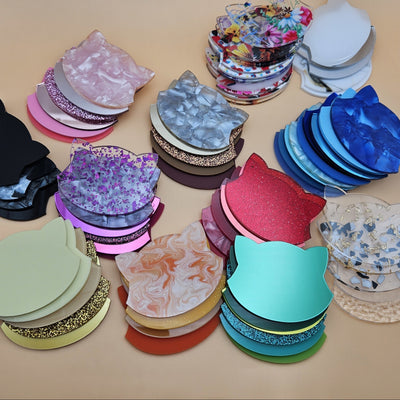
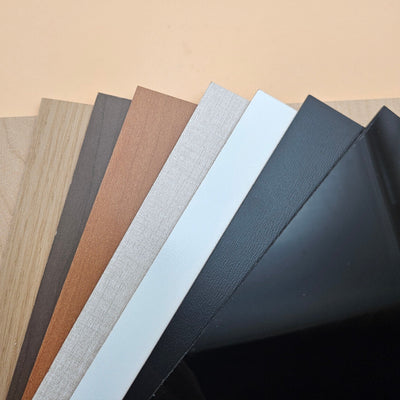
For garden plant stakes that live outside, 3mm cast acrylic holds up to rain, sun, and dirt for years.
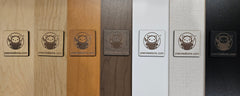
- Black frosted acrylic , looks elegant on green herb planters
- White acrylic, modern minimal
- Glow-in-the-dark acrylic, bedroom-window houseplant stakes for kids
For cheese/drink stakes used at events, food-safe acrylic is a non-issue (the stake doesn't touch the food it labels). Wood is fine for one-time use; for repeated dishwasher cycles, acrylic wins.
The three stake modes, what they cut, what they look like
The generator gives you three presets. Each cuts differently and uses different materials best.
Classic — single-cut outline
What it does: Cuts the silhouette of your text plus a thin connecting stem. The text itself is the stake, letters welded together, no fill, no engrave. Single cut path, very fast.
Best for: Beginner first cut. 1-color projects. Plywood or acrylic, both look great.
Caveat: Letters with islands (the inside of "O", "A", "P", "B") need to stay connected to the outline. The generator handles this automatically by tying letter counters to the stem, but if you pick a fancy script font, some islands might look slightly different than the on-screen preview.
Cut-out, stencil-style frame
What it does: Cuts a solid plate (the stake body) with the letters cut out of it. The text appears as the negative, light shines through the holes.
Best for: Backlit plant stakes (with a candle behind), or stakes meant to be filled with epoxy resin in a contrasting color. Modern minimal look.
Caveat: This mode only works with stencil fonts, fonts where every letter has bridges so the islands don't fall out. The generator auto-switches your font selection when you pick this mode.
Engraving, solid stake with engraved text
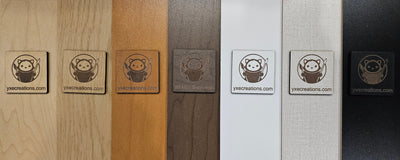
What it does: Cuts a solid stake outline + engraves the text into the surface. Text is darker burned wood (or a different shade of acrylic).
Best for: Premium gift sets, dishwasher-safe drink markers, walnut plywood (the engrave is dramatic), and any text that contains script fonts with delicate details.
Pick this for cheese boards and craft-bar drink stakes, looks the most polished.
Designing your stake with the generator
Open the Plant Stake Maker

Step 1: Set your units
Top of the Settings panel: pick *mm * or in . The default is mm. Most plywood / acrylic specs are metric, so leave it.
Step 2: Pick a Stake Style
Three buttons at the top: Classic (default), Cut-out , Engraving . Tap each one to see what changes in the preview. For your hello-world cut, stick with Classic, it's the simplest, fastest, and most forgiving.
Step 3: Type your text
In Your Text , type your word. The generator auto-uppercases everything as you type, that's intentional. Lowercase script fonts have too many tiny details that can break on small stakes; uppercase reads cleanly even at 60mm wide.
For herbs/cheese/drinks, single words read best. For longer phrases ("BIRTHDAY GIRL"), the stake stretches longer but stays readable.
Step 4: Pick a font
The font picker is grouped by category. Some pairings that always look good:
- Cherry Bomb One (default): chunky, friendly, ridiculous in the best way. Good for kid's veggie patch markers
- Bowlby One / Anton: bold sans, reads from across a market booth
- Dancing Script: the "fancy script" look. Goes on Engraving mode for wedding place cards
- Patrick Hand / Caveat: handwritten cozy aesthetic for kitchen herbs
- Lacquer: uppercase serif, premium cocktail bar feel
For Cut-out mode, the picker auto-filters to stencil-only fonts.
Step 5: Text Size
The default 55 works for the default 130mm length. If you make the stake shorter (Step 6), drop text size to 35–45 so it doesn't overflow.
Step 6: Stake Length
How tall (or wide, depending on orientation) the whole stake is.
| Use case | Stake Length |
| Cheese / drink / tea stake | 60–80 mm |
| Cocktail pick | 70–90 mm |
| Indoor herb pot | 100–130 mm |
| Outdoor herb / flower stake | 130–180 mm |
| Vegetable garden bed marker | 200–280 mm |
| Wedding place card | 80–100 mm |
Step 7: Download your file
Click Download SVG for laser cutting / CNC. Or use Download STL / Download 3MF to 3D print the stake in PLA, PETG, or flexible filament. The 3D print version is great for kids' toy gardens or weatherproof outdoor markers, no laser needed.
For the 3D print, set Extrusion Depth under the export controls. 3mm is the default and matches most plywood for a consistent look across mediums.
Cutting your hello-world test
This is the part where you actually verify your laser is set up correctly. Print one, start with one, and check the cut quality before doing a full set.
1. Import the SVG into LightBurn / xTool Creative Space / your laser software
2. Verify the design size matches what you set in the generator (some software re-scales SVGs,measure the import)
3. Cut settings for 3mm birch plywood on a 60W CO2 : ~12 mm/s @ 90% power, single pass. Apply masking tape to the surface to avoid soot stains
4. Cut settings for 3mm cast acrylic on the same laser: ~10 mm/s @ 80%, single pass. Don't peel masking until after the cut
5. For diode lasers (xTool D1 Pro 20W): plywood at ~6 mm/s @ 100%, 2 passes. Acrylic only cuts on diode if it's dark/opaque (black, dark blue, dark red)m clear/light acrylic transmits diode wavelength and won't cut
What to inspect on your test cut
- Edges should be clean, if they're fuzzy or have a fluffy "fur" of unburned wood, slow speed by 2 mm/s
- The stake shouldn't have flame marks around the cut, if it does, masking tape would have prevented them. Apply for the next cut
- Letters should be crisp, if islands of letters fell out (the dot of an "i", the inside of an "o"), your font wasn't a stencil font and you used Cut-out mode
- Stake stem isn't broken, if it snaps when you pull it from the sheet, your speed is too fast (over-burning)
If the test cut looks good, move on to the full set.
Troubleshooting
The cut path isn't clean — letters look melted → Speed too fast OR power too high. Slow down speed first (more reliable than reducing power on most CO2 tubes). For plywood, this often means resin pockets in cheaper plywood — switch to laser-grade plywood.
Text doesn't fit on the stake → Increase Stake Length , reduce Text Size , or shorten your text. The preview shows what the cut will produce — trust it.
Letters fall out of the stake (Cut-out mode) → You picked a non-stencil font and the islands lost their bridges. Re-open the font picker. Cut-out mode should auto-filter to stencil-only fonts. If you imported a custom font, it needs to be a stencil font.
Stem is too thin / breaks when handled → That's intentional for delicate plant pots, but for outdoor garden beds it's too fragile. Use Engraving mode instead, the solid body is way stronger than the Classic outline.
Smoke stain along the engrave → Mask the surface with painter's tape before engraving. Peel after. This is the single biggest "wow" upgrade for engrave quality.
Acrylic cracks when I push the stake into dirt → 3mm acrylic is stiffer than wood and snaps under lateral force. Use Engraving mode (the solid body is stronger), or switch to plywood for in-ground stakes.
Make it yours
- Herb starter set, 8 herb names in plywood, packaged with a kraft string tie. Sells for $25–$30 at farmer's markets
- Charcuterie set, 6 cheese names in walnut, gift-boxed. Premium $40+ wedding gift
- Bridal place cards, guest names on small stakes, stuck into a bed of dried lavender or rosemary at each setting
- Tea-bag tags, leaf-shape stake with a slit for the string. Tea-time gift box for grandparents
- Cocktail pick set, 4 classic-cocktail names in dark walnut + leather pouch. Bartender / housewarming gift
- Beer-flight set, IPA, Stout, Lager, Sour, Cider. Personalized for a brewery launch
- Christmas plant gifts, "MERRY", "JOY", "GROW" in red acrylic for poinsettias and Christmas cacti
- Father's Day grilling, meat names ("BRISKET, 16h") for BBQ smokers
- Kids' veggie garden, every vegetable kid name + carrot/tomato symbols. Backyard project
- Custom bath salt jars, "LAVENDER", "EUCALYPTUS", "ROSE" stakes propped in pretty jars

The whole point of a hello-world project is that it scales. Once you've cut your first stake successfully, your next "anything stake" takes 5 minutes from idea to laser bed. A whole product line at a market booth is just one afternoon of generating + cutting.
Happy cutting! 🔥