
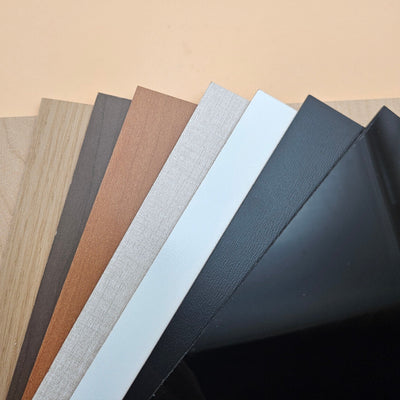

Beginner Leatherette: Easy Hat Patches + All Free Design Files Provided
Updated Jun 2026If you’ve been looking for an easy way to start working with PU leatherette, hat patches are the perfect entry point. They look premium, are highly durable, and with heat-activated adhesive, they’re incredibly easy to apply. Today, we’re breaking down everything you need to start creating custom headwear from scratch.
What to Get from the Store (Your Project Kit)
-
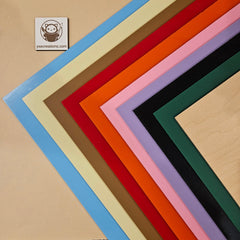
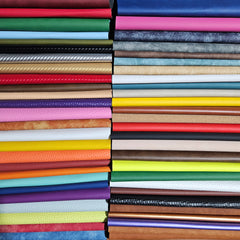
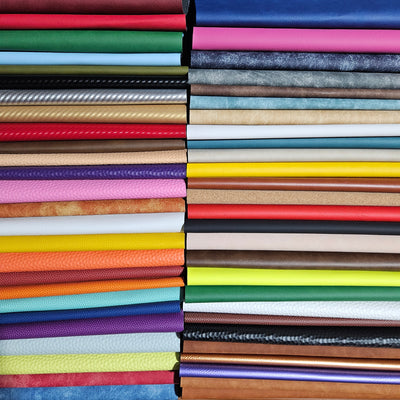
Adhesive-Backed Leatherette Our leatherette features a heat-activated adhesive for a strong bond and is completely PVC-free! Check out all the colours and textures!

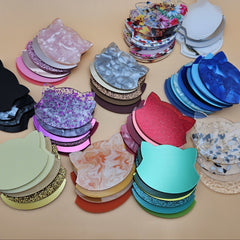
- Blank Hats or Other Apparel/Accessories: 5-panel hats are best for beginners as they don’t have a center seam. But don’t limit yourself to hats and beanies, leatherette patches can be ironed onto literally any apparel, your bag, or even your denim jacket!
- Heat-Resistant Tape: Used to keep your patch perfectly centered during pressing.
- Parchment or Teflon Paper: Protects the leatherette from direct heat and prevents scorching during pressing.
What You Need at Home (Your Workspace)
- Laser Cutter/Engraver: CO₂ lasers work best, but diode lasers also work. Honestly, leatherette can also be cut with a modern Cricut, craft knife, or scissors.
-
Heat Press or Iron: A hat press is ideal, but a handheld press or even a home iron works well for small batches.

- Lint Roller: Used to prep and clean the apparel surface before applying the patch.
-
Heavy Towel: If using a flat press, roll it up to create a firm “head” shape inside the hat to maintain structure during pressing.
- Cloth: A secret weapon for cleaning laser soot without staining the material. For more stubborn stains on matte leatherette you can use diluted LA Awesome Cleaner!
Design Styles & Free Files
Specifically for this blog, I’ve created a new tool on mylasertools.com so you can easily design your first patch, and all the ones that follow. Check out your free hat patch designs generator, they are free for commercial use as well!

You can engrave a line, stitch line, or cut holes for a real stitched look if that’s your preference. Start by selecting the shape of your badge, then add text or symbols, and choose a mode.
If you select line stitch guide + fill mode, it will create a reversed image, which looks very neat. Even if you only score the line and engrave, the leatherette patch still turns out clean and professional. You can also skip the stitch guide completely if you prefer a simpler design.
Step Process Pro Tip
-
Cut & Laser Engrave. You can mask the surface to help prevent smoke stains, especially on light colours. Masking with a dish soap also works, if your leatherette is suede or matte stains are harder to clean, but glossy textures don't usually require special prep.

-
Clean. Wipe with a slightly damp cloth (not soaking wet).

- Prep Lint roll the apparel piece. Debris under the patch creates bumps!
- Press 300°C for 20 seconds as a starter settings, adjust based on your press! Always use parchment paper as a barrier.
YXE Creations Tip: If you are hand-stitching for a truly authentic look, use your laser to cut
1mm "stitch holes" along the border. It makes the sewing process much faster and
ensures perfectly even spacing! Specially for you I added this option on mylasertools.com!