



Beginner Acrylic: Earring Holder Stand + All Designs Included
Updated Oct 2026TL;DR: An earring holder generator builds a custom display stand file for you. Pick a shape, set the height and how many pairs it holds, and download a cut-ready SVG. Cut the flat panels from 3mm acrylic or plywood, slot them together with no glue, and you have a branded stand that ships flat and assembles in seconds. This guide walks through the tool, the right notch and tab dimensions, and which material to choose.
What an earring holder generator does
An earring holder, or earring stand, is the freestanding piece that holds your finished earrings upright so people can see them. On a craft fair table, in a boutique, or in a product photo, the stand is what makes a row of earrings read as a collection instead of a pile.
The generator does the drawing for you. Instead of opening Illustrator or Inkscape and building a stand from scratch, you choose a shape, type in a few numbers, and the tool produces a finished cut file. It works out the tab-and-slot joints, the notch spacing, and the panel layout automatically, so the parts fit together when they come off the laser.
That is the whole point. You make the design decisions; the tool handles the geometry.

Why generate one instead of buying a fixed file
There are plenty of pre-made earring stand files for sale. They work, but they lock you into one size, one capacity, and one shape. A generator gives you three things a fixed file cannot:
- The exact capacity you need. Eight pairs for a photo prop, or forty for a full booth display. You set the number.
- A shape that matches your brand. An arch reads boutique, a tree reads cottagecore, a clean rectangle reads modern. The silhouette is a branding decision, not a fixed download.
- Your name on it. Engrave your shop name or logo straight into the front panel so every photo and every table carries your brand.
What you can make
The generator covers the stand styles that actually get used at markets and in photos:
- Arch stands. A rounded top panel with notch rows. Boutique feel, and a strong shape for engraving a logo across the top.
- Geometric panels. Hexagon, diamond, or scalloped outlines with hook rows. Modern and very photogenic.
- Tower stands. A tall narrow panel with many notch rows, for showing a large selection where table space is tight.
Most makers cut one shape, then realise the same tool makes the rest, and end up with a matched set in different sizes.
What you need
- A sheet of 3mm acrylic or 3mm plywood. 3mm is the standard for small and medium stands. For a large booth centrepiece, or a stand that customers will handle all day, step up to 6mm for extra rigidity.
- A laser cutter that can cut your sheet. CO2, diode, or fibre all work; the file does not care which.
- The free earring holder generator on MyLaserTools.
- Masking or transfer tape if you are cutting plywood, to keep soot off the surface.
- Optional: stain, paint, or a clear sealer if you want to finish a wood stand.
Step by step
Step 1: Decide capacity and footprint first.
Before you open the tool, settle two numbers: how many pairs the stand should hold, and how much table space it can take. A photography prop is small and holds a handful. A workhorse craft fair stand is roughly 8 to 12 inches wide and holds 12 to 20 pairs. A booth centrepiece runs 12 to 18 inches wide and holds 24 to 40. Knowing the target keeps you from designing something beautiful that does not fit your table.
Step 2: Choose a shape.
Open the earring holder generator and pick a base shape: arch, geometric, or scalloped. The preview updates as you choose, so try a few. Pick the silhouette that matches your brand, not just the one that holds the most.

Step 3: Set the size and the number of pairs.
Type in the width and height, then set how many notch positions you want. The tool spaces the notches evenly and lays out the panels to fit. If you set a capacity that crowds the stand, widen it or add a second row rather than squeezing the notches together. Earrings need breathing room to look curated.
Step 4: Download the SVG.
Download the file. A tab-and-slot stand comes as a single SVG with the panels laid out flat and three jobs marked:
- Cut. The outer outline of each panel.
- Engrave. Your shop name or logo.
Save it with a name you will recognise later, like arch-stand-12in-20pairs.svg. You will reuse this file every time you cut the same stand.
Step 5: Cut the panels.
Open the SVG in your laser software. Set the Cut and the notches and slots to cut all the way through, and run your normal settings for the material. For 3mm acrylic that is a single clean pass with air assist on. For 3mm plywood, mask both faces first and expect to test your settings, since plywood varies batch to batch.
Step 6: Slot it together.
Press the panels together at the slots. A good tab-and-slot fit goes together firmly by hand, no mallet, and stays rigid under a full load of earrings. If the joints feel loose, that is kerf, covered just below. No glue is needed for a snug fit, though a drop of acrylic cement or wood glue in the joints makes a permanent stand if you never plan to flat-pack it.
Acrylic or plywood: which to cut
Both cut well from the same file. The choice is about look, weight, and durability.
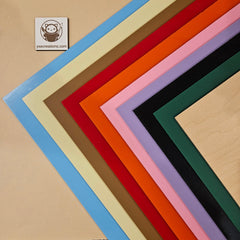
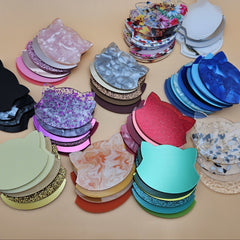
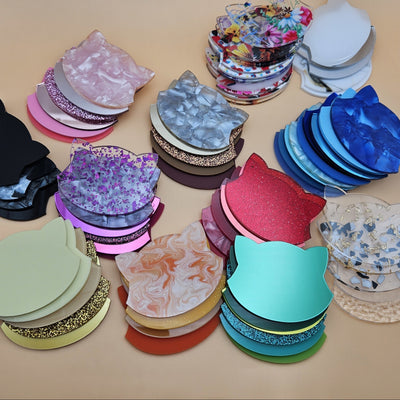
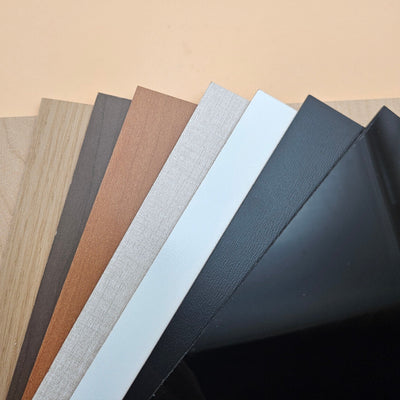
Acrylic gives you a clean, modern, photogenic stand. Clear reads premium, frosted softens reflections for photography, and coloured or mirror acrylic lets you match a brand palette exactly. It needs no finishing and wipes clean. It is heavier than wood at the same thickness and can crack at thin features if dropped on a hard floor, so keep tabs and narrow points reasonably chunky. Browse the range at our acrylic collection.
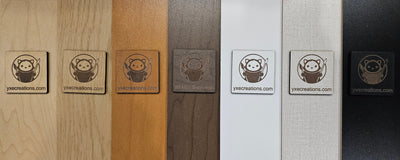
Plywood gives you warmth and a natural, handmade feel that suits cottagecore, botanical, and rustic brands. It engraves to a clean charred contrast that reads well from a distance, and it is lighter than acrylic. It does need sealing if it will live in a humid car trunk or an outdoor market, and quality varies, so test your cut. We stock laser-grade plywood in our plywood collection; many makers also use Baltic birch or basswood for stands.
A practical setup uses both: a wood centrepiece for warmth and a couple of small acrylic photo stands for styled shots.
Tab-and-slot and kerf, the part people skip
A laser removes a thin line of material as it cuts, usually around 0.2mm on a CO2 laser and less on a diode. That width is the kerf. If a design ignores it, every tab comes out about 0.2mm smaller than its slot, and the stand wobbles.
The generator bakes in a sensible default clearance, so most stands fit on the first try. If yours is loose or tight, cut a small test joint and adjust:
- Joints too loose: your real kerf is wider than the default. Make the tabs slightly larger or the slots slightly narrower next time.
- Joints too tight: the opposite. Ease the slots open by a couple of tenths of a millimetre.
If you want to dial it in properly, our guide to kerf and how to compensate shows how to measure your machine's exact kerf in two minutes.
Tips and gotchas
Cut your first stand in a scrap or offcut sheet. Stands have more joints than a flat earring, so it is the cheapest way to confirm your kerf and notch sizes before you commit a full sheet of nice material.
Keep tabs chunky in acrylic. Acrylic is strong in the sheet but brittle at thin necks. If a tab or an upright comes to a narrow point, widen it. A tab that is at least as wide as the material is thick will not snap when you assemble it.
Mask plywood, every time. Cutting wood without masking deposits soot along every edge, and it is tedious to clean off later. Tape both faces, cut, then peel the masking while the piece is still slightly warm.
Weight the base of tall stands. A 16-inch tower is light enough to tip if the table gets bumped. A small weight or a couple of decorative stones tucked behind it solves this and stays out of sight.
Engrave bold, not fine. A stand is read from several feet away. A bold logo at a generous size carries; a delicate script does not. Save the fine detail for your earring cards.
Disassemble and store flat. The reason to choose tab-and-slot is that it ships and stores flat. Take stands apart between events, especially wood ones, so they do not warp in storage.
Fume extraction is not optional. Cutting acrylic and plywood both produce fumes you should not breathe. This is true of every laser job, not just stands. Vent outside or run a proper extractor.
Match your stands to your cards
A stand with your logo and an earring card in the same material, with the same logo treatment, reads as a designed brand rather than a collection of random display bits. Customers notice, even when they cannot say why. When you have the stand sorted, run the matching cards through our free earring card generator so your whole table speaks with one voice.
Frequently asked questions
Q: Do I need design software to use the generator? A: No. The whole point of the tool is that you do not draw anything. You choose a shape, type in dimensions and a capacity, add your name, and download a finished file. The geometry, including the tab-and-slot joints, is built for you.
Q: What thickness should I cut? A: 3mm acrylic or plywood is the standard for small and medium stands. For a large booth centrepiece, or any stand customers will handle repeatedly, 6mm gives noticeably more rigidity. Thinner than 3mm is too flexible for a freestanding piece.
Q: Does the stand need glue? A: Not for a snug tab-and-slot fit. The panels press together and hold under a full load of earrings. Add a drop of acrylic cement or wood glue only if you want a permanent stand and never plan to flat-pack it.
Q: Will it work on a diode laser? A: Yes. The file is just panels with slots and notches; any laser that cuts your sheet can cut it. For a diode, pick a coloured or opaque acrylic, since clear acrylic does not absorb blue diode light. Plywood cuts fine on a diode with the right settings.
Q: My joints came out wobbly. What went wrong? A: That is kerf. Your laser cut the slots a touch wider than the tabs. Either nudge the tab size up or the slot size down next time, or measure your kerf once and apply it. See our kerf guide.
Q: Can I sell stands made with this tool, or use them at my booth? A: Yes. The generator and the file it produces are free to use commercially. Use the stands at your markets, in your shop, in your photos, or sell them as a product line of their own.