

Beginner Acrylic: Laser-Cut Sport Keychain. Perfect First Project That Sells
Updated Jun 2026A layered sport keychain is one of the best-selling items at any market or team fundraiser, a name on top, a sports symbol beside it, and a contrasting backer plate that frames the whole thing. Two pieces of acrylic, glued together, with a split key ring through a hole at the top. Hockey teams, soccer parents, baseball coaches, gym buddies, golf groups, they all love a personalized one.
In this guide we'll cover the materials, the layered cutting workflow, and how to design your own using our free Keychain Generator with the sport symbol selector.
What you'll make
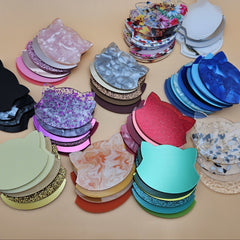
A two-layer acrylic keychain: a front layer with the player's name and a sport symbol cut all the way through, and a back layer (the outline) in a contrasting color that shows through the cut-out letters.

Materials you'll need
The acrylic: two contrasting colors
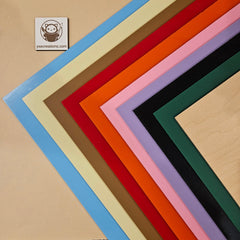
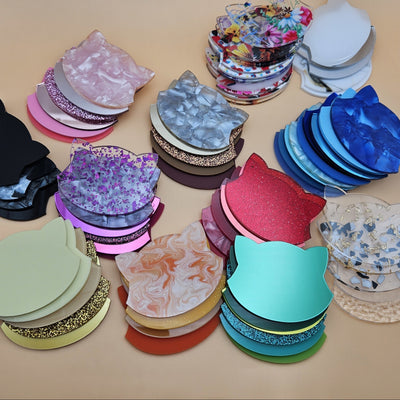
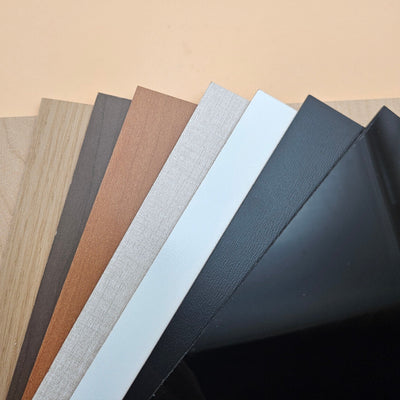
For sport keychains, 3mm cast acrylic in two contrasting colors is the look. The classic combos:
- Hockey: black front, team-color back (red, blue, green)
- Soccer: white front, team-color back
- Golf: frosted clear front, hunter green or navy back
- Basketball: orange front, black back
- Baseball: white front, red or navy back
- Gym/CrossFit: black front, neon (yellow, pink, orange) back
Mirror gold and silver for the back plate make trophies-style keychains for end-of-season team gifts.
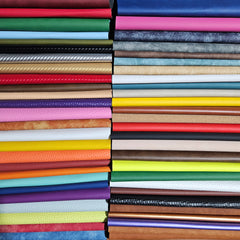
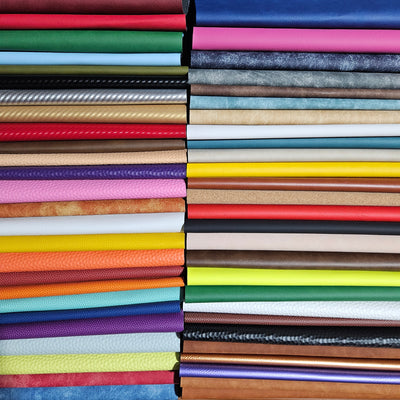
Optional but recommended: Basketball Textured Leatherette or Golf Textured Leatherette

Split key rings and Snap Clips
Standard 25mm split key rings work for most keychain sizes. For backpack tags or zipper pulls, a 20mm ring with a swivel snap hook is more useful.
Snap Clips are more gentle on acrylic, preventing the hanger hole from snapping, while still connected to the split ring on another end!
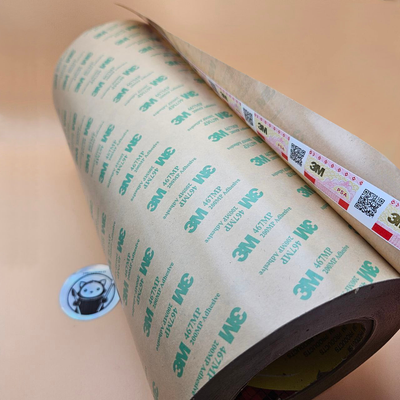
Optional: 3M adhesive
To bond the two acrylic layers without messy glue, pre-cut 3M adhesive sheets are the cleanest method, peel one side, stick to the back of the front layer, peel the other side, press onto the back layer.

Understanding kerf for layered keychains
Layered keychains are forgiving on kerf because the two layers don't slot into each other, they're stacked flat and bonded. But the hanger hole still needs to fit a key ring cleanly.
Hole sizing for the key ring
A 25mm split ring needs a hole of at least 5mm diameter to thread through comfortably. The generator's Hole Size sets the outer hole, and Inner Hole Size sets the actual through-hole, leave 2–3mm of "ring channel" between them so the ring sits flush.
Snap clips are designed for 3mm acrylic!
Designing your sport keychain with the generator
Open the Keychain Generator. The default keychain type is Layered , which gives you a name + symbol + outline in one design.

Step 1: Type the player's name
In the Your Text field, type the name ("EMMA", "TEAM 7", "COACH MIKE", or a number like "#23"). Names of 4–8 characters look best on a single keychain.
Step 2: Pick a sport symbol
Open the Symbol picker and switch to the Sports category. You'll see hockey sticks, soccer balls, footballs, basketballs, baseball bats, golf clubs, tennis racquets, dumbbells, chess pieces, bicycles, and more.

Step 3: Position the symbol
- Symbol Position:; choose Before (symbol left of name), After (symbol right of name), or Both (mirror symbol on each side, great for short 3–4 letter names)
- Symbol Size: 100% by default. Bump up to 130–150% if your name is short and the symbol can be the visual focus
- Symbol Offset X / Y: fine-tune the position. Sports symbols often need a small Y offset down to align with the visual center of the text
Step 4: Pick a font
For sports, bold sans-serifs read clearest from across a backpack: try Bebas Neue , Anton , Bowlby One , or Cherry Bomb One . Avoid scripts unless it's a dance/figure skating keychain.
Step 5: Size the keychain
Keychain Width sets the overall length. 60–80mm is standard for backpack/keys. Bump to 100mm for car keychains where it'll dangle visibly.
Step 6: Set the outline (back plate) size
Scroll to Outline Size. This controls how much the back plate extends past the text, basically a thick border that shows the contrasting color. 30–50% gives a clean frame; 60–80% looks chunky and bold.
Step 7: Hanger hole
Scroll to Hanger Hole Settings and toggle Add Hanger Hole on (should be on by default).
- Hole Size: outer ring channel. 8–10mm
- Inner Hole Size: the actual through-hole. 5mm for a standard 25mm split ring
- Hole Offset: moves the hole position. Default 0 puts it at the top center
Step 8: Download your SVG (and optionally STL/3MF)
Click Download SVG for laser cutting, or use the STL / 3MF buttons if you'd rather 3D print the keychain in two filament colors.
Cutting and assembling

- Import the SVG into LightBurn / xTool Creative Space / your laser software
- The generator color-codes the layers, assign one color to your front sheet and the other to your back sheet, cutting them as separate jobs
- Apply 3M adhesive to the back of the front layer/
- Cut both layers, then peel the 3M tape paper layer and cut
- Thread a split key ring or better the snap clip through the hole
- Peel the protective masking or leave it to customer!

If you want to add leatherette accents, just cut the inner part of the ball designs again from leatherette by deleting the keychain outline and leaving only the symbol part.


Stick adhesive tape to the leatherette before cutting, or apply a small amount of glue to it.
Troubleshooting
Layers don't line up → 3M tape has 0 reposition tolerance once it sticks. Test-fit dry first. Use a small alignment jig or stick down one corner first, then lay the rest down slowly.
Acrylic edges look melted → Slow your cut speed by 1–2 mm/s, or peel the masking only after cutting (not before).
Make it yours
- Team color sets: cut 12–24 keychains in your team's colors as a coach gift or end-of-season giveaway
- Number on top, name on back: flip the design: jersey number front, name back, dual-purpose
- Mirror gold / silver: for MVP / champion keychains, mirror acrylic backs feel like trophies
- Glow-in-the-dark: glow acrylic for the front layer makes a fun bedroom-light keychain for kids
- Engrave instead of cut: engrave the text into the front layer instead of cutting through, for a cleaner one-color keychain (no back plate needed)
Once you've made one set, the generator handles the rest of the team in minutes, just change the name, re-download, re-cut. A roster of 18 hockey players takes one acrylic sheet and one evening.
Happy cutting! 🔥