
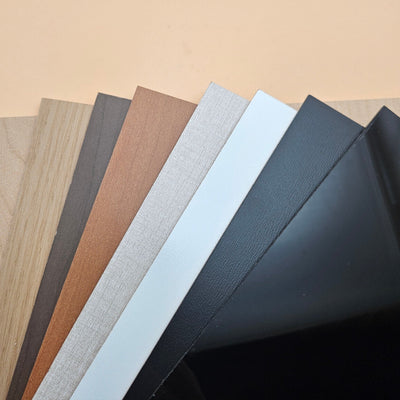


How to cut acrylic without a laser: score and snap
Updated Oct 2026TL;DR: You can cut acrylic in a straight line without a laser or a saw. Score a groove along a metal straightedge with a utility knife or a hook-blade plastic cutter, then snap the sheet over the edge of a table. Two or three passes are usually enough for 1.5 mm; 3 mm needs more passes and a deeper groove. One score turns a 12x24" sheet into a piece that fits a 12x20" laser bed, plus a strip for small projects.
Why your sheet is bigger than your laser bed
Our two-tone and three-tone engravable acrylic come in 30 x 60 cm sheets, about 12 x 24". A lot of popular desktop lasers, both diode and CO2, have a work area around 12 x 20". The sheet is 4" too long to lie flat on the bed.
That is not a reason to pass on the bigger sheet. Acrylic cuts cleanly in a straight line with a knife and a table edge, a technique called score and snap. It takes a couple of minutes and gives you two useful pieces instead of one.
What you need
- A scoring tool. A hook-blade plastic cutter is built for this job and pulls a clean groove. A regular utility knife with a fresh blade works too, and it is what we used for the photos in this guide.
- A metal straightedge or ruler at least as long as the cut. 12" is the minimum for a cut across the sheet; 18" or 24" is easier to hold steady.
- A flat table with a clean, square edge. A workbench or a sturdy desk. Avoid rounded or bevelled edges.
- A marker or pencil for marking the cut line on the protective film.
- Clamps, optional. One or two spring or bar clamps hold the straightedge so it cannot drift mid-pass.
- Fine sandpaper or a file, optional, for smoothing the snapped edge.
How score and snap works
Acrylic is rigid and brittle. When you cut a groove into one face, you create a weak line through the sheet. Bend the sheet so the groove opens up, and the stress concentrates at the bottom of the groove. The crack follows the groove straight through to the other face.
The deeper the groove relative to the sheet thickness, the more predictable the break. That is why thin sheets need only a couple of passes and thicker sheets need more.
Step by step
Step 1: Measure your laser bed, then mark the cut.
Check the real material area of your machine, not just the number on the box. Some 12 x 20" machines lose a few millimetres to the frame, hold-down pins or the honeycomb tray lip. Mark your line on the protective film so the piece fits with a little room to spare.
For a 12 x 20" bed, a line about 50 cm (19.5") from one short end is a safe starting point. That leaves a strip of roughly 10 cm (4") on the other side.
If your bed is smaller, or you want two equal pieces, score across the middle. Two 30 x 30 cm (about 12 x 12") squares fit almost every desktop laser on the market.
Step 2: Set up the straightedge.
Lay the sheet flat on the table with the protective film still on. Place the straightedge along your line, on the side of the piece you plan to keep. If the blade slips, it will run into the offcut, not your good piece.
Clamp the straightedge at both ends, or press it down firmly with your flat hand, fingers well back from the edge.
Step 3: Score the line with several light passes.
Hold the knife at a slight angle, blade against the straightedge, and pull it toward you along the full length of the line, edge to edge. Start the first pass right at the far edge of the sheet and finish off the near edge.

Keep the first pass light. Its only job is to set a track for the blade to follow. Each following pass sits in that track and goes a little deeper. Pressing hard on the first pass is how the blade wanders off the line.
How many passes:
- 1.5 mm acrylic: two or three passes are usually enough.
- 3 mm acrylic: keep going, typically five passes or more. You want a clearly deeper groove, one your fingernail drops into, before you try to snap.
A hook-blade plastic cutter removes a thin ribbon of material on each pass, so you can see the groove growing. A utility knife cuts more than it scrapes, so check the depth with your fingernail between passes.
Step 4: Line the groove up with the table edge.
Slide the sheet so the scored line sits exactly on the edge of the table, groove facing up. The piece you keep stays on the table; the offcut hangs over the edge.
If the groove is set back from the edge, the sheet bends somewhere else and the crack can wander. If it overhangs past the edge, the break can chip. Take a second to line it up.
Step 5: Snap it.
Press the part on the table flat with one hand, spread across the sheet close to the line. With your other hand, push down on the overhanging part with one quick, firm motion. The sheet breaks along the groove.

On a long cut, push near the middle of the overhang rather than at one corner, so the force is spread along the whole line. If it does not break on the first push, do not keep bending it. Put it back on the table, add two or three more passes to deepen the groove, and try again.
Step 6: Clean up the edge.
The snapped edge is usually straight and clean on the scored face, with a small lip or burr on the back. For laser work it rarely matters, because your parts are cut away from the sheet edge. If you want a tidy edge, scrape it with the back of the knife blade or run it over fine sandpaper on a flat surface.
Peel the film back only after you are done. It protects the face from scratches while you handle the sheet.
Tips for a clean break
Let the sheet reach room temperature before you score it. Cold acrylic is more brittle and more likely to crack off the line. If a box sat in a cold car or a winter porch, give it a few hours indoors.
Score the full length, edge to edge. A groove that stops short of the edge gives the crack nowhere to start. Make sure every pass runs off both ends of the sheet.
Use a fresh blade. A dull blade skates on the surface and needs more pressure, which is when it slips. Snap off a segment or swap the blade before a long cut.
Narrow strips are harder to snap. A 4" offcut snaps easily over the table edge. A strip under about 2.5 cm (1") is too short to get leverage on. For thin strips, deepen the groove and grip the strip with pliers right along the score line, then bend.
It works on straight lines only. Score and snap cannot follow curves or make inside corners. For anything other than a straight line across the sheet, cut it on the laser once the sheet fits.
Keep your hands out of the blade path. Always pull the knife along the straightedge away from your holding hand, and keep that hand flat on the far side of the ruler. Snapped acrylic edges are sharp, so handle the fresh edge with care.
What to do with the offcut
A 12 x 24" sheet cut down for a 12 x 20" bed leaves a strip about 4 x 12". That strip is plenty for small work:
- Keychains, earrings, pendants and zipper pulls
- Name tags and small labels
- A material test grid for new settings
- Inlays and accent layers for a larger project
Two-tone and three-tone acrylic engraves best when your settings are dialled in, so the offcut is the obvious place to run a test before you commit the main piece.
Frequently asked questions
Q: Can I cut acrylic with a utility knife? A: Yes, for straight lines. You do not cut all the way through. You score a groove with several passes, then snap the sheet over a table edge. A hook-blade plastic cutter makes the groove a little faster, but a utility knife with a fresh blade does the job.
Q: How many passes do I need to score acrylic? A: Two or three passes are usually enough for 1.5 mm acrylic. For 3 mm, keep going until the groove is clearly deep, typically five passes or more. If the sheet will not snap with firm pressure, add more passes rather than forcing it.
Q: My sheet is 12 x 24" and my laser bed is 12 x 20". What should I do? A: Score a line about 50 cm (19.5") from one end and snap it over a table edge. You get a piece that fits your bed and a strip of about 4" for small projects. Or score across the middle for two pieces of about 12 x 12".
Q: Does score and snap work on two-tone and three-tone engravable acrylic? A: Yes. The photos in this guide are a wood grain two-tone sheet. The thin colour layer on top scores the same way as the rest of the sheet.
Q: Which side should I score? A: Either side works. Score the face that is up on the table, then snap with the groove facing up so it opens as you push the overhang down.
Q: Why did my acrylic crack off the line? A: The usual causes are a groove that is too shallow, a groove that does not run all the way to both edges, the score line not sitting exactly on the table edge, or a cold sheet. Deepen the groove, line it up carefully, and let cold sheets warm up first.
Q: Can I score and snap a curve? A: No. The crack follows a straight line only. Score the sheet down to a size that fits your laser, then cut curves and shapes on the laser.