

YXE Creations Craft Hub is now a LightBurn affiliate
Updated Oct 2026TL;DR: YXE Creations Craft Hub is now an official LightBurn affiliate. LightBurn is the laser software we use every day to design, test and run our lasers, so it is an easy tool to recommend. It runs most diode, CO2 and galvo fibre lasers, has a built-in Material Test for dialling in new sheets, and comes with a free 30-day trial with no limits or watermarks. Try LightBurn free.
The short version
We have joined the LightBurn affiliate program. When you buy LightBurn through our link, LightBurn pays us a small commission. The price you pay does not change.
We did not go looking for a software partner. LightBurn is already open on our shop computer most of the day, and laser crafters ask us what software we use more than almost any other question. Now the answer comes with a link.
How we use LightBurn every day
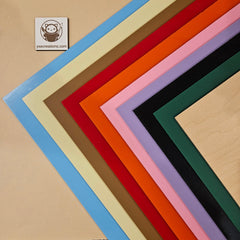
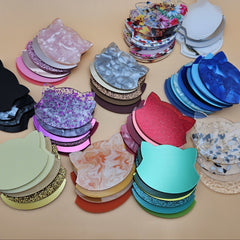
Testing new materials. When a new colour or sheet type arrives, the first thing it sees is a LightBurn Material Test. The tool builds a power and speed grid in a few clicks, so we can see where an engrave goes clean, where a cut drops out, and where the edge starts to char. That is the same process behind the settings in our leatherette laser settings cheat sheet and our diode guide for two-tone acrylic.
Designing. Most of our sample pieces start in LightBurn: text, simple shapes, offsets for inlays and outlines, and traced artwork. For anything more involved, we export an SVG from one of the free generators on MyLaserTools and drop it straight in. The generators colour-code cut and engrave lines, and LightBurn turns each colour into its own layer.
Running the lasers. LightBurn sends jobs straight to the machine, with framing, job origin and layer order all set in one place. Saved settings live in its material library, so a setting that worked on a sheet last month is one click away instead of buried in a notebook.
Features worth knowing about
- Material Test. Under Laser Tools, then Material Test. Set a power range across one axis and a speed range down the other, and LightBurn generates a labelled grid. This is the fastest way to find settings on a new material.
- Material library. Save the settings that worked, by material and thickness, and recall them on the next job.
- Layers by colour. Every colour in a file becomes a layer with its own cut or engrave settings. SVGs from MyLaserTools generators are already set up this way.
- Camera alignment. With a supported camera, you see the bed in the workspace and can place a design exactly on an offcut. Useful for getting the most out of every sheet.
- Trace Image. Converts a bitmap into vector paths you can cut or score.
- Wide machine support. Most GCode diode lasers, DSP-controlled CO2 lasers (Ruida, Trocen, TopWisdom) and galvo fibre lasers. Some machines run their own software only, so check LightBurn's supported hardware list before you buy.
Try it before you buy it
LightBurn offers a 30-day trial with the full feature set, no watermarks and no limits. Install it, connect your laser, and run a Material Test on an offcut from your last order. If it fits how you work, buy the licence through our link.
Download the free LightBurn trial
What this means for our guides
You will start to see LightBurn links in our guides where the software does the job well, mostly in the material testing and file setup steps. Every guide still works with other laser software: xTool Creative Space, Glowforge and the rest. We will keep writing for every laser crafter, whatever software they run.
Frequently asked questions
Q: What is a LightBurn affiliate? A: LightBurn pays a commission to partners who refer new customers. YXE Creations Craft Hub is one of those partners. If you buy through our link, we earn a commission, and you pay the same price as buying direct.
Q: Does LightBurn have a free trial? A: Yes. LightBurn offers a 30-day trial with the full software, no watermarks and no limits.
Q: Does LightBurn work with my laser? A: LightBurn supports most GCode diode lasers, DSP-controlled CO2 lasers and galvo fibre lasers. Some machines, such as Glowforge, only run their own software. Check LightBurn's supported hardware list before you buy, or install the trial and connect your machine.
Q: Does LightBurn have a material test? A: Yes. Laser Tools, then Material Test builds a power and speed grid automatically. It is the fastest way to dial in settings on a new sheet of acrylic or leatherette.
Q: Do I need LightBurn to use your materials or guides? A: No. Our sheets and guides work with any laser software. We recommend LightBurn because we use it ourselves.
Disclosure: LightBurn links on yxecreations.com are affiliate links. If you buy through them, YXE Creations Craft Hub earns a commission at no extra cost to you. We only recommend software we use in our own shop.