

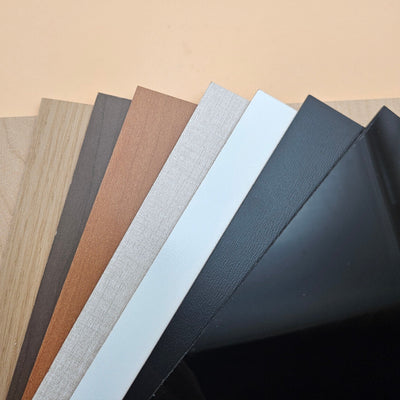


Acrylic 101: A Comprehensive Guide to Working With Acrylic
Updated Oct 2026TL;DR: Acrylic comes in two grades (cast and extruded), and cast is what almost every small-shop laser project wants. Cast engraves frosted white and cuts with a flame-polished edge. A CO2 laser cuts every colour of acrylic cleanly. A diode laser will not cut clear acrylic at all because the blue beam passes straight through transparent material without depositing energy. CNC routers handle thick acrylic and edges that need to be machined rather than melted. Bending uses heat, slowly, with patience.

Cast vs extruded: what to buy
Acrylic (PMMA, polymethyl methacrylate) is sold in two grades depending on how the sheet is manufactured.
Cast acrylic is poured between two glass plates as a liquid and cured slowly. The resulting sheet has higher molecular weight, higher strength, and a structure that responds well to laser energy. Engraves on cast acrylic come out bright frosted white. Cuts come out flame-polished and glass-like.
Extruded acrylic is melted and pushed through a die, like toothpaste through a nozzle. It is cheaper, but the lower molecular weight changes how the material behaves under a laser. Engraves come out dull grey. Cuts come out hazy or melted. Extruded does have tighter thickness tolerance, which matters for thermoforming or precise mechanical fits, but for laser work the cast surface wins almost every time.
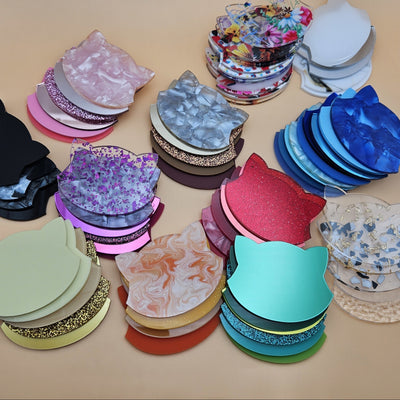
We stock cast in our acrylic collection for that reason. If you want the full side-by-side, we have a dedicated cast vs extruded acrylic article.
Choosing thickness
Acrylic thickness picks itself when you start from the mechanical role of the piece, not from how it looks.
1.5 mm (1/16 inch). Earrings, ornaments, top layers of layered art, tags. Cuts fast on a CO2 laser. Some colours of 1.5 mm cast cut on a 10 W or 20 W diode.
3 mm (1/8 inch). The default for signage, small displays, layered art middle pieces, and most jewellery. The thickness most laser hobbyists use most often.
4.5 mm and 6 mm (3/16 and 1/4 inch). Sturdier signs, awards, display bases, structural pieces. A 40 W CO2 cuts 6 mm cast in a single pass; thicker beam-divergence shows up as edge taper.
9 mm and 12 mm. Trophies, premium signage, heavy display work. Needs a higher-power CO2 (60 W and up) or multiple passes with careful focus.
For a deeper look at picking thickness for a specific project, see our acrylic thickness guide.
Laser cutting acrylic
CO2 and diode lasers cut acrylic for different reasons and with very different results. This is the section the old version of this article glossed over.
CO2 lasers cut every colour
A CO2 laser emits at roughly 10.6 microns, which is in the far infrared. Acrylic absorbs that wavelength strongly regardless of colour, including water-clear sheets. The beam deposits energy into the surface, vaporises a thin slot, and the molten edge slumps back and re-solidifies smooth. That is where the famous flame-polished acrylic edge comes from. No post-processing is needed.
Practical CO2 starting points:
- Air assist on, but at moderate pressure. Too much air cools the edge and kills the flame polish.
- Focus at the surface for 3 mm and under; focus mid-material for 4.5 mm and thicker.
- Cut once at lower power and slower speed rather than multiple fast passes. Repeated passes char the edge.
- Keep the paper or vinyl masking on while you cut. It catches fume condensate that would otherwise fog the surface.
Detailed settings and edge tuning live in our how to laser cut cast acrylic cleanly article.
Diode lasers and the clear acrylic problem
Diode lasers emit blue light at roughly 450 nm. Transparent materials, by definition, transmit visible light. Clear acrylic is transparent in the visible spectrum, including at 450 nm. The blue beam passes straight through the sheet without depositing meaningful energy, the same way sunlight passes through a window. No energy absorbed means no heat, no cut, and no engrave.
The fix is a pigment or coating that absorbs blue. That is why:
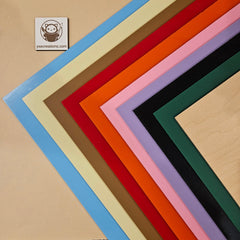
- Coloured cast acrylic (black, red, dark green, opaque white) cuts on a diode laser as long as the colour absorbs blue. Black is the easiest. Pale colours absorb less and need slower speeds.
- Clear cast acrylic does not cut on a diode at any power. Adding a temporary coating (a paint marker on both surfaces, dark masking tape) can sometimes work for thin sheets but is not a production solution.
- Mirrored acrylic cuts only from the painted back, never from the mirror face, because the front reflects the beam.
If you own a diode laser and want to do clear acrylic, the honest answer is to use a CO2 instead. There is no diode trick that gets around the physics.
Why cast laser-engraves brighter than extruded
When a laser hits cast acrylic, the polymer at the surface opens up into a microstructure that scatters light, producing the bright frosted-white look that makes engraved acrylic signs feel almost backlit. Extruded acrylic has a more ordered structure that does not scatter light the same way, so the engrave comes out dull grey. For signage and engraved jewellery, cast is the only sensible choice.
CNC routing acrylic
CNC routers cut acrylic mechanically instead of melting it, which makes them the right tool when you need:
- Thick pieces (12 mm and up) without beam taper.
- Pockets, slots, or 3D features the laser cannot reach.
- A mechanical edge instead of a flame-polished edge.
Bits. Use O-flute or acrylic-specific single-flute upcuts. Standard wood bits melt the slot closed.
Feeds and speeds. Higher feed rate, lower spindle speed than wood. The bit needs to evacuate chips before they melt. A rule of thumb: chip load 0.05 to 0.10 mm per tooth at around 18,000 rpm for a 1/8 inch O-flute. Adjust by listening for the sound of the cut. A clean acrylic cut sounds crisp; a melting cut sounds dull.
Cooling. Air blast at the bit is enough for most cuts. A light mist of water or alcohol helps on thicker passes. Avoid heavy flood coolant because acrylic crazes on contact with some solvents.
Climb vs conventional. Climb milling gives a cleaner edge on acrylic. Most CAM defaults to conventional; switch it.
A clean CNC edge is matte and slightly hazy. To finish it to glass clarity, polish with progressively finer sandpaper (400, 800, 1500, 2500) then a buffing wheel. Or use a small handheld torch in quick passes (flame polishing) on cast acrylic only. Extruded burns and bubbles.
Bending acrylic
Acrylic softens at 105 to 110 degrees Celsius and reshapes cleanly if you heat it evenly and cool it slowly. Two common methods.
Strip heater for straight folds. A line of heat along the bend axis softens just that line. Hold for 60 to 90 seconds per 3 mm of thickness, bend to the angle, hold until the sheet is rigid again. Good for display stands, photo frames, simple boxes.
Oven for compound curves. Place the sheet on a smooth flat surface inside a kitchen oven at 150 to 160 degrees Celsius for 5 to 10 minutes (3 mm cast). The whole sheet softens and you can drape it over a mould. The mould should be smooth: any texture transfers permanently. Let the piece cool fully on the mould before lifting it.
Two cooling rules apply to both methods:
- Cool slowly. Forced cooling locks in stress that cracks later.
- Wait until fully rigid before handling. Soft acrylic takes fingerprints that do not come out.
Cast acrylic holds bent shapes better than extruded because it has higher heat resistance and a less directional internal structure. Extruded shrinks unevenly along the extrusion direction during heating.
Gluing and assembling acrylic
Joining acrylic uses different chemistry from joining wood. Quick summary:
- Solvent cement (the kind that says "for acrylic" in the hardware aisle, usually methylene chloride or a low-viscosity acrylic cement) chemically welds two sheets into one piece. Strongest bond, but only works on clean, square edges.
- Two-part acrylic adhesive (a thicker cement with a longer working time) gap-fills and welds. Useful when edges are not perfectly square.
- Cyanoacrylate (CA glue, super glue) holds clear-on-clear well for small joints but fogs the surface near the bond line.
- Epoxy is reliable for acrylic-to-wood and acrylic-to-metal. E6000 from a hardware store is the small-shop default for mixed-material assemblies.
We have a dedicated article on best glues for acrylic with a real-world test of each.
Handling, storage, and finishing
A few rules that prevent most acrylic problems.
- Leave the masking on until the piece is finished. It protects the surface and catches laser fume condensate.
- Do not clean acrylic with isopropyl alcohol, glass cleaner, or any ammonia-based product. They craze the surface and create a cobweb of fine cracks. Use a microfibre cloth and water, or a cleaner labelled safe for acrylic.
- Store sheets flat or vertically against a flat wall. Stored at an angle, acrylic cups within weeks.
- Keep sheets out of direct sunlight in storage. Cast acrylic is UV-stable in normal use but extended exposure during storage can yellow lower-grade material.
- Drill with acrylic-specific bits. Standard twist drills grab and crack. A bit with a flat point or a 60 degree included angle (vs the usual 118) cuts cleanly.
Safety
These apply to every laser cut on every material, not just acrylic.
- Active fume extraction is required for every laser cut. Acrylic releases methyl methacrylate fumes plus combustion byproducts that need to leave the room. A window fan is not extraction. A purpose-built extractor venting outside, or a closed-loop filtration unit rated for laser fumes, is.
- Fire extinguisher in arm's reach. Acrylic flames cleanly if a cut stalls. CO2 extinguishers are the right kind for laser-cabinet fires.
- Never laser PVC, vinyl, ABS, polycarbonate, or any sheet labelled "acrylic mirror" without confirming the backing. PVC and vinyl release hydrochloric acid that destroys the machine. See our materials to never laser list.
- Clear the honeycomb bed of debris between jobs. Built-up scrap is fuel.
- For CNC and bending, eye protection always, and ventilation when bending in an oven. Heated acrylic releases the same MMA monomer in smaller quantities.
Frequently asked questions
Q: Can I cut clear acrylic with my diode laser if I crank the power high enough? A: No. Higher power does not help because the beam passes through clear acrylic without being absorbed. The wavelength is wrong for the material. Use a CO2 laser, or switch to a coloured cast acrylic where the pigment absorbs blue.
Q: Why does my engraved acrylic look grey instead of frosted white? A: You almost certainly have extruded acrylic, not cast. The engrave colour is the easiest visual test. Buy cast for any project where engrave appearance matters.
Q: My laser-cut acrylic edge is cloudy instead of glass-clear. What is wrong? A: Three usual causes. Focus is set too high so the cone of the beam widens through the material. Air assist is too high and cooling the edge before it can flame-polish. Or the paper masking on the back of the sheet has lifted and is fogging the bottom face. Check those in order.
Q: How do I avoid cracks around drilled holes? A: Use an acrylic-specific drill bit (flat point or 60 degree included angle), run the drill slow, back off pressure at the breakthrough side, and stop a few millimetres from any edge. Anneal the piece in an oven at 80 degrees Celsius for an hour before drilling if you are working close to a stressed area.
Q: What is the difference between extruded acrylic and Plexiglas? A: Plexiglas is a brand. Extruded Plexiglas is extruded acrylic. Plexiglas G is cast Plexiglas. Most "Plexiglas" sold in big-box stores is extruded. Read the spec sheet, not the brand.
Q: My acrylic warped in storage. Can I flatten it? A: Yes, if the warp is mild. Lay it between two flat panels with weight on top in a warm room (no direct sun) for a few days. For severe cups, gently warm the sheet in an oven at 80 degrees Celsius, then weight it flat as it cools.