


Beginner Earrings: Custom Earring Cards + Free Designs
Updated May 2026TL;DR: An earring card is the small branded card your earrings hang from in packaging and at markets. Our free generator lets you design one in minutes: choose a shape and size, place the holes for hooks or studs, add your logo, and download the file. Cut it from cardstock on a Cricut or other vinyl cutter, or from acrylic on a laser for a premium feel. Here is the full workflow, with exact hole specs.
Why the earring card matters more than it looks
An earring card is a small card, about the size of a business card, with two holes near the top that the earring hooks thread through. The earring hangs from the card for display, the card travels with the earring through packaging and shipping, and when the customer opens their order, the card is the first thing they see.
That makes the card your primary brand touchpoint. It is not throwaway packaging. The gap between a blank kraft card from a craft store and a card with your own logo and shape is the gap between looking like a hobby and looking like a brand. A good card does four things: it holds the earring securely and straight, it shows your name, it carries the details customers want (material, care, hypoallergenic hardware), and it makes the whole pair feel more considered.
The generator handles the hard part, which is getting the holes the right size, in the right place, the same on every card.
Two ways to cut a card: ![]() no laser required
no laser required
This is the part most card guides skip. You do not need a laser to make beautiful earring cards. The generator gives you a clean cut file, and you can cut it two ways depending on what is on your bench.
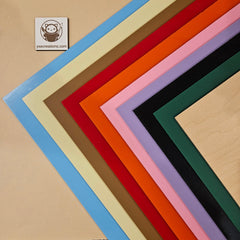
Cardstock on a vinyl cutter (Cricut, Silhouette, and similar). This is the accessible path, and for many sellers it is the right one. Cardstock is cheap, comes in every colour, and a craft cutter handles it easily. The file drops straight into Cricut Design Space or Silhouette Studio. This is the route if you are starting out, printing your branding, or producing cards by the hundred without a laser in the room.
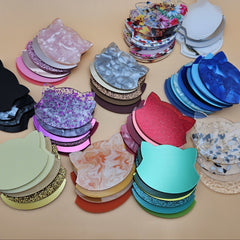
Acrylic, wood, or chipboard on a laser. This is the premium path. A card cut and engraved from acrylic or thin plywood feels substantial, photographs beautifully, and customers tend to keep it, which turns your packaging into a lasting brand impression. A laser also engraves your logo straight into the material rather than relying on printing.
Same generator, same shapes, two finishes at two price points. Pick the one that fits your tools and your positioning.
What you can make
The generator covers the card shapes that actually sell:
- Rounded rectangle. The classic. Clean, safe, fits any standard bag.
- Arch top. Boutique feel, and a natural frame for a logo across the top.
- Tag and label shapes. A nod to handmade and gift markets.
- Scalloped edges. Soft and approachable, good for floral and cottagecore brands.
- House, hexagon, and other silhouettes. A distinctive outline that becomes part of your visual identity.
One real advantage of a generated card over a die-cut paper card is that the shape is yours to choose. A laser or a craft cutter cuts any outline as easily as a rectangle.
What you need
For the cardstock route:
- Cardstock, roughly 0.8 to 1mm (200 to 300 gsm). Heavier holds an earring without flopping.
- A Cricut, Silhouette, or other vinyl cutter and the right blade and mat for cardstock.
- A small hole punch (1.5 to 2mm) is handy, since very small holes can tear when cut from paper. More on this below.
For the laser route:
- A sheet of 1.5 to 3mm acrylic, or 1.5mm plywood, or chipboard for a budget run.
- A laser cutter (CO2, diode, or fibre).
- Masking tape for plywood.
For either route:
- The free earring card generator on MyLaserTools.

Step by step
Step 1: Choose a shape and size.
Open the earring card generator and pick a shape. Set the size. The two standard sizes are 2 by 3 inches (business card format) and 2.5 by 3.5 inches (poker card format). The larger size gives more room for branding and care text and still slides into a standard small cellophane bag or kraft pouch.
Step 2: Set the hole type, hooks or studs.
This is the decision that makes the card work. French hooks and ear wires sit farther apart than stud posts, so the hole spacing is different. Tell the tool which one you are making. If you sell both, generate one card layout for each.
Step 3: Confirm the hole specs.
These numbers are what keep an earring hanging straight instead of leaning in:
For French hooks and ear wires:
- Hole diameter: 1.5 to 2mm (1.5mm is fine for hooks; 2mm threads more easily)
- Hole spacing, centre to centre: 12 to 15mm, matching the standard spread of earring hooks
- Placement: 25 to 30mm down from the top, centred
For stud earrings:
- Hole diameter: 1 to 1.5mm, just enough for the 0.7 to 1mm post
- Hole spacing: 8 to 10mm, since studs sit closer together
- Placement: same 25 to 30mm from the top
These land both holes in the top third of the card, centred, with enough material above them to keep the card rigid and the earring upright.
Step 4: Add your logo and text.
Add your shop name or logo to the front. If you are lasering, this becomes an engrave layer. If you are cutting cardstock, you will print your branding before you cut, or run a separate print-then-cut workflow in your cutter software. Leave room on the back for care text and material info; more on what to put there below.
Step 5: Download the file.
Download the cut file. For a Cricut or Silhouette, an SVG imports straight into Design Space or Studio. For a laser, the same SVG opens in LightBurn, xTool, Glowforge, or your usual software, with the outline and holes as cut paths and the logo as an engrave layer.
Name it so you can find it again: arch-card-2.5x3.5-hooks.svg. You will reuse this every time.
Step 6: Cut.
On a vinyl cutter: load your cardstock on the right mat, set the material to cardstock, and use a fresh or fine-point blade. Cardstock dulls blades faster than vinyl, and a tired blade tears the small holes. If your cards have a print-and-cut design, run the registration step so the cut lines up with your printed branding.
On a laser: run your normal settings for the material. Acrylic at 1.5 to 2mm is a single clean pass with air assist on. Mask plywood first. Cut the holes and outline together, and run the engrave layer for your logo.
Step 7: Deal with the holes if you are cutting cardstock.
Very small holes (1.5mm) cut from paper can tear or come out ragged. Two reliable fixes: set the holes slightly larger (2mm) so the blade has room, or skip cutting the holes entirely and punch them after with a 1.5 to 2mm hole punch using the tool's hole markers as a guide. A clean punched hole holds a hook better than a ragged cut one. On a laser, this is a non-issue; the holes come out crisp.
What to put on the card
Front:
- Your shop name or logo. This is the one non-negotiable.
- Your website or main social handle.
- Optionally a short tagline or the earring style name.
Back: this is prime space most makers leave blank.
- Care line: "Avoid perfume and hairspray. Wipe clean with a soft cloth."
- Material: "Cast acrylic", "Laser cut wood", "PU leatherette".
- Hardware: "Hypoallergenic titanium ear wires" or "Nickel-free hardware" if it applies. This is a genuine conversion driver for customers with sensitive ears.
- A reorder or custom-order note. The person reading the card has already bought from you, which is exactly when to mention you take custom work.
Cardstock or acrylic: which finish
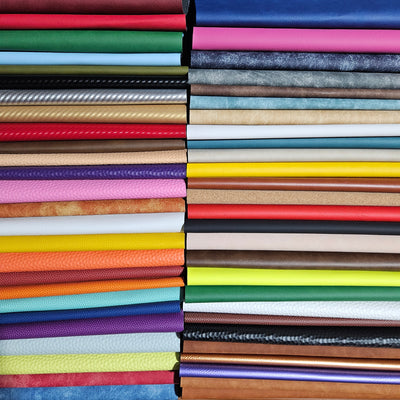
Cardstock is cheap, light, comes in every colour, and cuts on a machine you may already own. It is the right call for high volume, for getting started, and for brands that lean natural with kraft tones. It is not moisture-resistant, so keep cards stored dry.
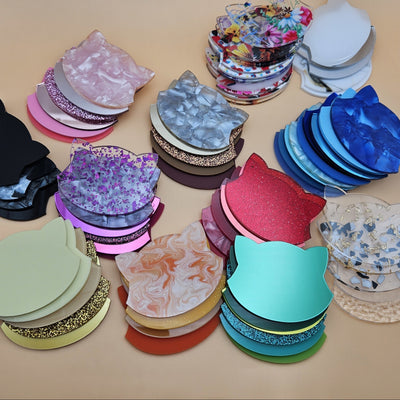
Acrylic reads as premium. Clear with an engraved logo looks high end, frosted and coloured acrylic match a palette, and glitter acrylic adds personality. Cards photograph beautifully and customers keep them. They are a little more fragile at the hole edges than wood, so the hole placement above matters, but cut right they handle repeated use. See the range in our acrylic collection.
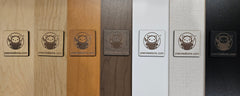
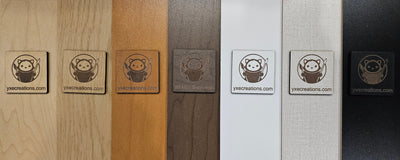
Thin plywood sits in between: warm, natural, with engraved branding that has real depth. Customers keep wood cards too. We stock laser-grade plywood for this.
A pattern that works well: cardstock cards for your everyday and lower-priced pieces, acrylic or wood cards for your premium and statement pairs.
Tips and gotchas
Cut one test card and actually hang a finished earring on it before you run the batch. It takes thirty seconds and it catches the two mistakes that ruin a run: holes spaced wrong for your hooks, and holes placed so high or low the earring hangs crooked.
Match your hole spacing to your actual hooks. The 12 to 15mm figure fits standard French hooks, but hooks vary. Measure the pair you actually use and set the spacing to match. A card that fits someone else's hooks but not yours is just scrap.
Heavier cardstock holds better. Thin paper lets the earring flop forward and creases at the holes. Aim for 250 to 300 gsm so the card stays flat and rigid in the bag.
Keep acetone away from acrylic cards. Nail polish remover and similar solvents dissolve acrylic. Wipe acrylic cards with a soft, barely damp cloth, not paper towel, which can leave fine scratches.
Mask plywood before cutting so soot does not stain the surface, and peel the masking while the card is still slightly warm.
Fume extraction is non-negotiable on the laser. Cutting acrylic and plywood produces fumes you should not breathe, on every job. Vent outside or run a proper extractor. This does not apply to the cardstock-on-a-Cricut route, which is one more reason it is friendly for a home workspace.
Match your cards to your stand
A card and a display stand in the same material, with the same logo, turn a table of earrings into a brand. When a customer picks a pair off your stand, sees the matching card, buys, and then finds that same card in the bag at home, that is a complete brand experience, and it is entirely doable at a handmade scale. Once your cards are sorted, build the matching display with our free earring holder generator.
Frequently asked questions
Q: Can I make earring cards without a laser? A: Yes. That is the main reason this tool is so useful. The generated file cuts cleanly on a Cricut, Silhouette, or other vinyl cutter from cardstock. A laser gives a premium acrylic or wood card, but it is not required to get a clean, branded card.
Q: Will the file work in Cricut Design Space? A: Yes. Download the SVG and import it into Design Space or Silhouette Studio like any other cut file. Set the material to cardstock and use a fine-point blade.
Q: What size should my earring cards be? A: The two standards are 2 by 3 inches and 2.5 by 3.5 inches. The larger size gives more room for branding and care text and still fits a standard small bag or pouch.
Q: How far apart should the holes be? A: For French hooks and ear wires, 12 to 15mm centre to centre, placed 25 to 30mm down from the top. For studs, 8 to 10mm apart. Always measure your own hooks and match the spacing to them.
Q: My holes tore when I cut cardstock. What do I do? A: Small holes can tear in paper. Either set the holes a touch larger (2mm) so the blade has room, or skip cutting them and punch them afterward with a small hole punch using the tool's markers as a guide. A laser cuts these holes cleanly with no tearing.
Q: Can I print my logo and cut on the same machine? A: Yes, with a print-and-cut workflow. Print your branded design on cardstock first, then let the cutter read the registration marks and cut the outline and holes to match. A laser engraves the logo directly instead, so there is no printing step.
Q: Can I sell earrings on cards I made with this? A: Yes. The generator and the file are free to use commercially. Brand them however you like and use them for any product you sell.