
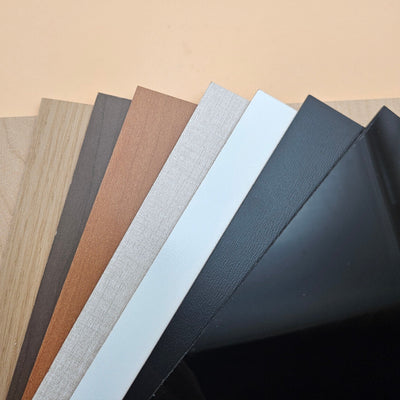


Plywood for Laser Cutting 101
Updated Jun 2026TL;DR: "Plywood" in a laser context covers three different families: traditional plywood with real wood veneers, raw MDF or HDF made from compressed fibres, and engineered laser-grade panels. Each cuts differently. This guide explains how to recognise each, how to pick the right thickness for your project, and how to test before you commit to a real cut.
The three families of laser plywood
Walk into any laser-cutting forum and you will see the words plywood, MDF, baltic birch, and laser-grade panel used interchangeably. They are not the same.
Traditional plywood. Thin layers of real wood veneer glued together with the grain running in alternating directions. Each layer is solid wood, so the sheet has visible grain on the face, and the edges show the layered structure. Baltic birch is the best-known version.
Raw MDF and HDF. Wood fibres compressed under heat and pressure with a binder. No grain, no layers, no visible structure on the cut edge. MDF is medium density, HDF is higher density, harder, and denser. Both laser cleanly and are widely available.
Engineered laser-grade panels. Built around an MDF or HDF core with a surface treatment tuned for laser work. The core gives the uniformity of MDF or HDF, the engineered surface gives a crisp engrave edge and a clean cut profile. (We stock one called TruFlat, but the category in general is what to know about.)
Each family has its own cut behaviour, edge look, and price point. Pick the one that matches the project.
Choosing thickness
Thickness picks itself if you start from the mechanical role, not the visual.
1.5 mm (1/16 inch). Earrings, ornaments, intricate filigree, top layers of layered art. Cuts fast on a small diode laser. May flex in larger pieces.
3 mm (1/8 inch). The default. Snap-together kits, earring stands, small signs, middle layers of layered art. Almost every laser hobbyist owns more 3 mm than anything else.
4.5 mm and 6 mm (3/16 and 1/4 inch). Boxes, sturdier signs, beginner furniture, base layers of layered art. Needs more laser power. A 5 W diode struggles; a 20 W diode or a 40 W CO2 will cut cleanly.
12 mm and thicker. Furniture, shelving, structural pieces. Requires high-power CO2 or multiple passes on a diode. Edges show beam divergence and may need sanding for a square profile.
When you change material thickness, your focus changes by half the change. Going from 3 mm to 6 mm with mid-thickness focus means dropping the bed by 1.5 mm.
Why some sheets cut cleanly and others fight you
Three things determine cut quality on any plywood:
Density consistency. If the material is uniformly dense top to bottom, the laser sees the same resistance through the full thickness and the cut is even. Knots, voids, glue spots, or hidden defects flip the cut behaviour mid-pass. Engineered fibre cores (MDF, HDF, laser-grade panels) win on consistency because the manufacturing process makes density predictable.
Flatness. Cupped or warped sheets pull the surface in and out of the laser's focal plane. A 0.5 mm cup is enough to visibly change kerf across the bed. Sheets stored in humid conditions warp more, so where and how you store the material matters as much as which sheet you bought.
Adhesive system. Most plywood uses urea formaldehyde glue, which lasers cleanly. Some marine and exterior grades use phenolic resin, which fumes more aggressively. If a listing mentions "marine grade" or "exterior" without specifying the adhesive, ask before buying.
Testing before you commit
Three tests catch almost every problem before it ruins a real project.
Kerf test. Cut a known shape (a 50 mm square works) and measure the slot with a digital caliper. Your kerf is the difference between the design and the measured slot. Do this once per material, per thickness, per machine, per lens.
Power and speed grid. Cut a small grid where one axis is power and the other is speed. Pick the cleanest cell. LightBurn has a built-in material test grid generator.
Edge quality cut. Cut a 30 mm circle at your chosen settings and run a fingernail across the edge. A clean cut feels smooth. A rough cut has fuzz, char ridges, or visible drag marks. If the edge fails, drop speed or add a pass before cutting your real project.
Cut vs engrave: settings principles
Cut and engrave are different operations and want different settings.
Cutting. Lower speed, higher power, sometimes multiple passes. The beam needs to vaporise material all the way through. Air assist on. Focus at top, middle, or bottom of the material depending on which face you want cleanest.
Engraving. Higher speed, lower power, raster motion. The beam removes a shallow surface layer line by line, like a printer. Air assist usually lower; too much air cools the surface before it can mark. Multiple passes deepen the engrave more cleanly than cranking up the power on a single pass.
Scoring (a vector line at low power that marks but does not cut through) is useful for fold lines, alignment marks, and decorative grooves.
Buying tips
A few signals to look for when sourcing any plywood:
- The seller calls the material laser-grade or laser-ready, not just "craft plywood".
- The product page tells you the core material, the thickness in both mm and inches, and the adhesive system.
- The seller stocks it in consistent thicknesses with tight tolerance.
- Reviews mention laser results specifically, not just how it looks.
If a listing is vague on any of those, expect inconsistent cuts.
Safety
These apply to every laser cut on every material, not just plywood.
- Active fume extraction is required for every laser cut. No material is safe to laser without it. Acrylic, wood, leatherette, paper: all of them release fumes that need to leave the room. A fan in the window is not extraction. A purpose-built extractor venting outside, or a closed-loop filtration unit rated for laser fumes, is.
- A fire extinguisher in arm's reach. Wood and paper cuts are the most common laser-shop fires.
- Never leave a wood cut unattended, even for a minute. A small flame can become a serious fire faster than you can come back.
- Materials with unknown coatings, treatments, or origins go in the bin, not on the bed. See our materials to never laser article.
- Clear the honeycomb bed of debris between jobs. Built-up scrap is fuel.
Frequently asked questions
Q: Can I cut plywood with a 5 W diode laser? A: 1.5 mm to 3 mm thicknesses, yes, with multiple passes. 6 mm is at the edge of practical for a 5 W diode and the edge will char heavily. For 6 mm and up, a 20 W diode or a 40 W CO2 is a much better fit.
Q: My cut leaves a dark char on the bottom edge. What is happening? A: Almost always one of: air assist pressure too low, focus set too high, or fumes flaring out the bottom of the cut. Try lowering the focal point by half the material thickness and increasing air pressure slightly.
Q: Why does my engrave look fuzzy at high resolution? A: Either the cut surface is fibrous (raw MDF), the grain is fighting the engrave direction (natural plywood), or the lens is dirty. An engineered laser-grade panel removes the first two; a clean lens removes the third.
Q: How do I store plywood so it does not warp? A: Flat, off the ground, away from direct sunlight, in a room with consistent humidity. Standing sheets on edge is fine for short stretches but they cup over weeks. A spare horizontal shelf is worth the space.
Q: What is the difference between MDF and an engineered laser-grade panel? A: They share the same core idea (compressed wood fibres) and laser cleanly. Engineered panels add a surface treatment specifically tuned for laser work, so the cut edge is lighter and the engrave is crisper. Raw MDF is the better budget choice when the finish does not matter.
What to read next
- Laser cutting 101: kerf, beam shape, and focus
- Materials you should never put in a laser
- What is TruFlat? (our specific laser-grade plywood)
- Shop our laser-grade plywood