

Beginner Acrylic: Bar Menu Sign + All Designs Included
Updated May 2026A two-panel bar menu sign is the next step up from a single table number, and it's a great project for cafés, home bars, weddings, pop-up events, or even an in-home coffee station. One panel reads "Menu" (or "Drinks", "Coffee", "Specials"), and a second taller panel sits behind it for chalkboard writing, dry-erase, or printed menu inserts.
In this guide we'll cover the materials, kerf settings for the slot fits, and how to use the Standing Sign Generator's built-in Bar Menu preset to design yours.
What you'll make
A free-standing two-panel sign: a shorter front panel with the heading and a taller back panel with a decorative pattern (or printed image, chalkboard finish, or solid color). Both panels slot into a single shared base.

Materials you'll need
The acrylic panels
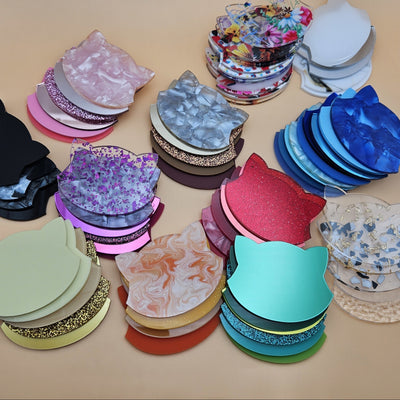
For a bar/café menu sign, 3mm cast acrylic is again the go-to. Two panels of different sizes, often in coordinating finishes:
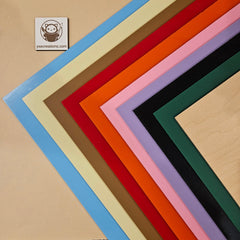
- Front panel: the smaller "Menu" word panel. Frosted black, mirror gold, or crystal pearl all work beautifully.
- Back panel: the taller pattern or chalkboard panel. Frosted clear with an engraved pattern looks great backlit; black acrylic doubles as a chalkboard surface for daily specials.
- Designs are available for free on MyLaserTools.com, a website maintained by YXE Creations Craft Hub to help you with your projects. It’s free!
The stand
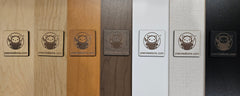
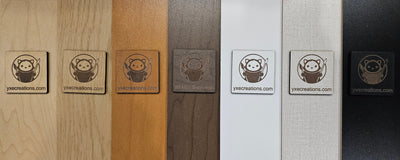
The stand can be cut from acrylic to match the panels, or from laser plywood for a warmer pub/café feel. A plywood base under black-acrylic panels is a really clean, modern look.
Optional: printed pattern back panel
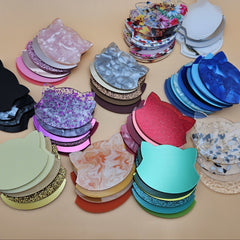
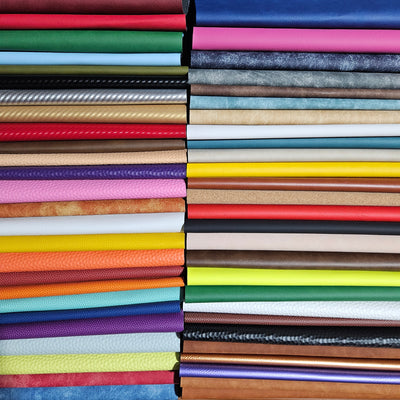
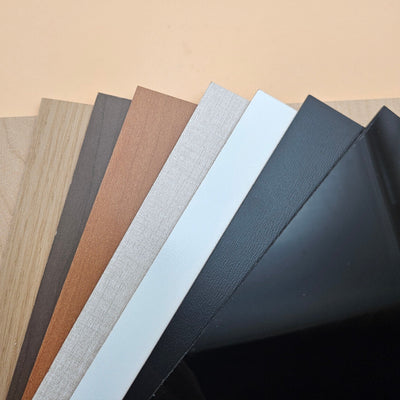
Instead of cutting a geometric pattern into acrylic, you can use next-level printed sheets for the back panel, floral, marble, wood-grain, or a custom branded image. This is the easiest way to add color and personality without engraving.
Optional: 3M adhesive sheets
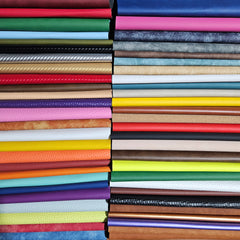
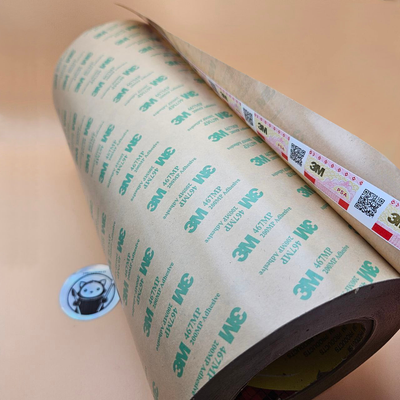
If you want to add raised vinyl-style letters or stick-on accents (your bar's logo, decorative elements between the panels), pre-cut 3M adhesive sheets are perfect.
Understanding kerf: important for two-panel signs
A two-panel sign has two slots in the stand, so getting your kerf offset right matters even more. If both slots are loose, the whole sign rocks; if one is tight and one is loose, the panels lean.
The laser cuts a slot slightly wider than the path it follows because vaporized material is lost along the way. That lost width is the kerf, typically 0.10–0.20mm on most laser cutters cutting 3mm material.
The generator's Kerf Offset value tells the slot to shrink by that amount, so the slot ends up the same width as your panel thickness, a friction fit, no glue needed.
Run one test piece of stand-only with both slots before cutting your full sign. Five minutes of testing saves a wasted sheet.
Designing your sign with the generator
Open the Standing Sign Generator and select the Bar Menu preset (second tab). This loads a two-panel layout: a "Menu" text panel on the left and a hexagonal-pattern panel on the right.

Step 1: Customize the front (text) panel
Click Panel 1 to expand it. This is your heading panel.
- Text: change "Menu" to whatever fits ("Drinks", "Coffee", "Bar", "Specials", "Today")
- Font: Manufacturing Consent (default) reads as a vintage neon vibe; Cherry Bomb One is bolder; Italianno makes it elegant
- Shape: the preset uses a left-arch shape so it feels paired with the back panel; you can also try Full Arch or Rectangle
- Width / Height: ~90mm × 130mm is a good size for counter use

Step 2: Customize the back (pattern) panel
Click Panel 2 to expand it. This is the taller decorative panel.
- Type: leave on "Pattern" for engraved patterns, or switch to "Solid" if you'll use a printed next-level sheet and don't need engraving
- Pattern: Hexagonal (default) for honeycomb, Voronoi for organic shapes, Waves for fluid lines, Hilbert for retro grid
- Cell Size: controls the pattern scale. 12–15mm reads well from across a room
- Wall Thickness: the line weight of the pattern. 2–3mm engraves cleanly; below 1mm can be hard to see in clear acrylic
Step 3: Set panel positions and gap
Scroll to the Stand section.
- Panel Gap: how far apart the two panels sit. 12–18mm gives them visual separation without wasting base length
- Stand Length: auto-sizes to your panels, but you can override for a wider, more stable base
- Stand Shape: Rectangle is most stable for a two-panel layout; Arch and Oval look softer
Step 4: Material thickness and kerf
Set Material Thickness to match your sheet (3mm for standard acrylic). Set Kerf Offset to 0.10–0.15mm for acrylic, 0.15–0.20mm for plywood.
Step 5: Fine-tune slot positions (optional)
Each panel has a Slot Position slider that shifts where the tab meets the stand. The Bar Menu preset offsets the two slots so the panels sit slightly apart, leave it as-is or adjust to taste.
Step 6: Download your SVG
Click Download SVG at the bottom of the controls. You'll get a single file containing both panels and the stand, color-coded by cut layer.
Cutting and assembling
1. Import the SVG into LightBurn, xTool Creative Space, or your laser software
2. Assign cut/engrave operations by color, the generator color-codes panels (cuts) and pattern fill (engrave)
3. Set speed/power for your material.
4. Cut, then peel the masking
5. Slide the front panel into its slot, then the back panel, the back panel typically goes in first if the slots are close together

Troubleshooting
One panel wobbles, the other is firm → Different slot widths. Re-cut just the stand with a slightly higher Kerf Offset (try +0.05mm).
Both panels are loose → Increase Kerf Offset by 0.05–0.10mm.
Panels won't go in → Decrease Kerf Offset, or sand the bottom tab very lightly with 220-grit.
Pattern engraving is barely visible on clear acrylic → Increase engraving power, or backlight the sign — engraved clear acrylic glows beautifully with an LED strip behind it.
Make it yours
- Chalkboard back panel, use matte black acrylic and a chalk pen for a daily-specials board you can rewrite
- Printed back panel, swap the engraved pattern for a printed sheet with your bar's logo or a marble/wood-grain print
- Backlight it, slip an LED strip into the base behind the panels. Frosted/clear acrylic with engraving will glow at the engraved lines
- Stack the look, use a printed front panel and a solid back, or match all three to your event branding
Happy cutting! 🔥